Security cameras are available in many shapes and configurations, but appearance alone does not determine performance. The right choice depends on the area being monitored, the detail required, lighting, weather exposure, mounting location, network connection, recording method, and available budget.
This guide explains the most common camera types and the practical differences between camera shape, connection method, special features, and recording technology.
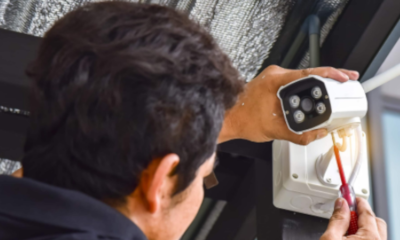
Camera Shape and Camera Technology Are Different
Terms such as dome, bullet, and turret describe a camera’s physical design. Terms such as IP, analog, PoE, Wi-Fi, thermal, and PTZ describe its connection, imaging technology, or movement capabilities. A camera can belong to more than one category—for example, it may be a PoE IP turret camera or a Wi-Fi bullet camera.
Understanding this distinction makes product comparisons easier and helps prevent choosing equipment based only on its housing.
1. Dome Cameras
Dome cameras place the lens inside a rounded housing. Their appearance can be less noticeable than a traditional bullet camera, and the housing may make it harder for an observer to determine the exact direction of view.
Dome designs are commonly used in retail areas, offices, hallways, entrances, and other indoor locations. Some models are rated for outdoor use or offer vandal-resistant housings, but those features must be confirmed for the specific model.
The clear dome cover requires maintenance. Dirt, scratches, moisture, or infrared light reflecting inside the cover can reduce nighttime image quality. Dome cameras should be installed carefully and cleaned when needed.
2. Bullet Cameras
Bullet cameras have an elongated housing that makes their viewing direction easy to recognize. This visible appearance may be useful when deterrence is one of the goals. Their shape also makes it convenient to aim the camera along a driveway, fence line, parking area, or building perimeter.
Many bullet cameras include a sunshield and outdoor-rated housing, but weather resistance varies. Their exposed shape can be easier to reach or redirect when mounted too low. Spiderwebs and insects near infrared lights may also affect nighttime video.
3. Turret Cameras
Turret cameras, sometimes called eyeball cameras, use a ball-shaped lens assembly held within a mounting base. They are easy to aim and generally do not place infrared lights behind a clear dome cover, which can reduce internal infrared reflection.
Turret cameras work well beneath eaves, on ceilings, and on walls. Their open lens surface should be positioned where rain, dust, and tampering are considered. As with any outdoor camera, confirm the model’s environmental rating before installation.
4. Pan-Tilt-Zoom Cameras
PTZ cameras can move horizontally, tilt vertically, and zoom under manual or automated control. They may be useful for monitoring large open areas when an operator is available or when preset tours and tracking features are properly configured.
A PTZ camera is not automatically a replacement for several fixed cameras. While it is pointed in one direction, activity may occur elsewhere. Critical entrances and other important views often still require fixed cameras that continuously record the intended area.
5. IP Network Cameras
IP cameras create digital video and transmit it over a network. They may connect to a network video recorder, a computer, local storage, or a cloud service depending on the system design. Many current IP cameras support high-resolution video, remote access, motion alerts, and other analytics.
IP does not automatically mean wireless or internet-dependent. A wired IP camera can operate on a local network and record to an NVR even if the internet connection is unavailable. Internet access is generally needed for remote viewing, notifications, cloud services, or off-site management.
Compatibility should be confirmed before combining camera and recorder brands. Resolution, compression, analytics, audio, firmware, and configuration features may not all work across different manufacturers.
6. PoE Cameras
Power over Ethernet cameras are IP cameras that receive data and electrical power through an Ethernet cable connected to a compatible PoE recorder, switch, or injector. This provides a dependable wired connection without requiring a separate electrical outlet beside every camera.
PoE systems are often a strong choice for permanent installations because the cameras can continue recording locally without relying on Wi-Fi. Network switches and recorders can also be connected to a battery backup to help protect the system during short power interruptions.
The cable route still requires planning. Confirm cable-distance limits, outdoor cable requirements, surge protection, PoE power budgets, and the number of available recorder or switch ports.
7. Wi-Fi Cameras
Wi-Fi cameras transmit video through a wireless network, but many still require a power cord. They may be convenient where network cabling is difficult to install, provided that reliable Wi-Fi coverage and electrical power are available at the mounting location.
Walls, distance, interference, network congestion, and router placement can affect performance. A strong Wi-Fi signal shown by a phone does not always guarantee reliable continuous video from a camera. Test the actual camera in its intended location before permanently mounting it.
Some Wi-Fi cameras depend heavily on a manufacturer’s app or cloud subscription. Buyers should understand where video is stored, what happens during an internet outage, ongoing fees, account-security options, and how recordings can be downloaded.
8. Battery-Powered Cameras
Battery-powered cameras can be useful where running power or network cable is impractical. Many conserve energy by remaining in a low-power state until motion is detected, which means they may not provide the same continuous recording as a wired system.
Battery life varies with temperature, signal strength, recording length, alert frequency, and the amount of activity in the scene. A camera facing a busy road or moving trees may activate frequently and require more charging.
These cameras are convenient for selected locations, rentals, or temporary monitoring, but homeowners and businesses should consider maintenance access, missed pre-event activity, charging schedules, and dependence on Wi-Fi or cloud services.
9. Analog HD Cameras
Analog HD cameras send video over coaxial cable to a compatible digital video recorder. They may be practical when an existing property already has suitable coaxial cabling or when an older analog system is being upgraded without replacing every cable.
Modern analog formats can provide high-resolution video, but the camera and DVR must support the same signal technology and resolution. Analog cameras also usually require a separate power connection unless an appropriate power-and-video cable arrangement is used.
Before reusing old cable, inspect its condition, connectors, routing, and ability to support the intended equipment. Existing cabling can reduce installation work, but damaged or low-quality cable may cause unreliable video.
10. Thermal Cameras
Thermal cameras detect differences in heat rather than producing a conventional image from visible light. They can help identify people, animals, vehicles, or equipment in darkness, smoke, fog, or difficult lighting conditions, depending on the camera and environment.
A thermal image usually does not provide the facial detail, clothing color, or license-plate information expected from a standard video camera. Thermal cameras are commonly paired with conventional cameras when both detection and visual identification are needed.
These specialized cameras may be useful for perimeter security, large properties, industrial monitoring, or detecting unusual heat conditions. Camera resolution, detection distance, environmental conditions, and intended application should be carefully evaluated.
Important Features to Compare
After choosing a physical design and connection method, compare the features that determine whether the recorded video will be useful:
- Image resolution and detail at the required distance
- Lens angle and field of view
- Low-light and nighttime performance
- Wide dynamic range for entrances and backlighting
- Weather and vandal-resistance ratings
- Audio capabilities and applicable recording laws
- Motion, person, vehicle, and other analytics
- Recorder, app, and firmware compatibility
- Local or cloud storage requirements
- Power, cabling, network, and internet requirements
Higher resolution alone does not guarantee a better result. Camera placement, lens choice, lighting, recording bitrate, compression, and storage settings also affect image quality.
Which Camera Type Should You Choose?
Choose a dome or turret camera when a compact design suits an indoor area, entrance, or covered exterior location. Consider a bullet camera when the direction of coverage should be visible or when monitoring a driveway or perimeter. Use a PTZ camera when active control over a large area is needed, while retaining fixed cameras for critical views.
Choose PoE for a dependable permanent network installation, Wi-Fi when cabling is difficult and the wireless signal is reliable, battery-powered equipment for selected low-maintenance or temporary locations, and analog HD when suitable coaxial cable is already installed. Thermal equipment is a specialized choice for detecting heat in conditions where conventional cameras may struggle.
Final Thoughts
The best security camera is not simply the model with the longest feature list. It is the camera that provides the required detail, works with the recorder and network, performs in the location’s lighting and weather, and can be maintained over time.
Need help comparing camera types, recorder compatibility, storage, or installation requirements? Contact Ronware Security Cameras to discuss a system designed around your property and monitoring goals.
Product features and compatibility vary by model, recorder, firmware, network, and installation conditions. Confirm current specifications before purchasing equipment.