Effective security-camera placement begins with deciding exactly what each camera must capture. One camera may provide a general view of a parking lot, while another may need to record a recognizable face at an entrance. Careful planning helps eliminate blind spots and produces useful video when an incident occurs.
This guide explains practical camera-placement principles for homes and businesses, including entrances, driveways, indoor areas, lighting, mounting height, privacy, and system testing.
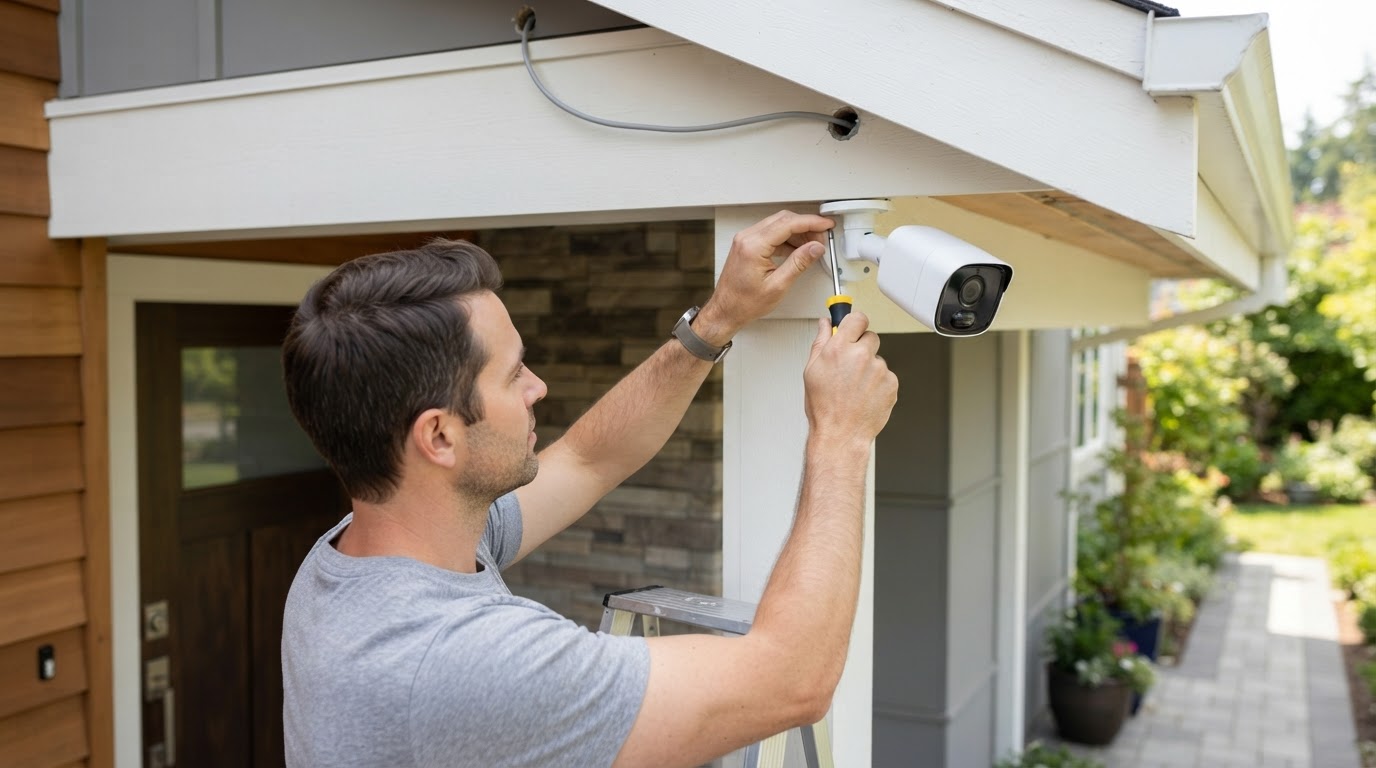
1. Begin With a Property Walkthrough
Before installing equipment, walk around the property during both daylight and nighttime conditions. Identify entrances, gates, driveways, parking areas, loading zones, valuable equipment, cash-handling locations, and places where people regularly gather.
Consider what you would need to see after an incident. A wide view may show that something happened, but it may not provide enough detail to identify a person or vehicle. Important locations often benefit from one overview camera and another camera aimed at the area where identification is most likely.
Create a simple property sketch and mark each proposed camera location. Draw the approximate direction of view and look for walls, signs, trees, shelves, vehicles, or other objects that could block the image. Also consider how network cable, power, and weather protection will reach each location.
2. Position Entrance Cameras to Capture Faces
Front doors, employee entrances, customer entrances, and delivery doors are high-priority locations. Position the camera so approaching visitors look toward it naturally. A camera mounted directly overhead may record only the top of a person’s head, so a slightly lower and more direct viewing angle is often more useful.
Avoid aiming the camera from a dark interior toward a brightly lit doorway. Strong backlighting can turn a person into a silhouette. Better lighting, a different mounting angle, or a camera designed for wide dynamic range may improve the image.
Keep doors, decorations, hanging signs, and growing plants from blocking the view. Test the entrance while someone approaches, opens the door, and walks through it.
3. Cover Driveways and Parking Areas Carefully
Driveway and parking-area cameras can document arriving vehicles, suspicious activity, property damage, and movement around parked cars. Mount the camera where vehicles travel through a predictable area rather than trying to cover an entire property from too far away.
Capturing a license plate requires more detail than simply seeing a vehicle. Distance, speed, camera angle, glare, headlights, weather, and nighttime exposure can all affect readability. If plate identification is important, use a camera and placement designed specifically for that purpose and test it with actual vehicles during the day and at night.
4. Monitor Garages, Loading Areas, and Valuable Equipment
Garages, loading docks, stockrooms, workshops, and equipment areas often contain valuable property and may have less supervision than public areas. Place cameras where they can record both the entrance and the activity taking place inside the area.
For loading docks, consider views of arriving vehicles, delivery doors, and the location where merchandise is received. Avoid positions that are routinely blocked by open doors, stacked boxes, shelves, or parked trucks. An accurate recorder clock is also important when video must be compared with delivery paperwork or access-control records.
5. Use Indoor Cameras for Important Activity Areas
Indoor cameras may be useful at reception desks, hallways, stairways, registers, inventory rooms, and doors leading to restricted spaces. Position each camera according to the activity that needs to be documented rather than simply placing it in the center of the room.
At a checkout area, for example, the camera should show the transaction area without unnecessarily recording payment-card numbers, keypad entries, or computer screens containing private information. In hallways, a lengthwise view usually provides more useful coverage than pointing directly across a narrow passage.
Large rooms may require more than one camera. A single wide-angle view can show general movement, but people may appear too small for identification. Overlapping views can reduce blind spots and provide another angle if merchandise, furniture, or customers block one camera.
6. Choose the Right Mounting Height and Viewing Angle
Cameras should generally be high enough to resist casual tampering but not so high that faces and important details disappear. The best height depends on the camera lens, distance to the subject, and purpose of the view. Test the actual image instead of relying only on how the camera looks from the ground.
A steep downward angle may provide a broad overview while showing mostly the tops of heads. A more level angle can improve facial detail but may be easier to obstruct. Use secure mounting hardware and position cables so they cannot be easily disconnected or damaged.
Do not aim cameras through windows when dependable nighttime video is required. Infrared light can reflect from the glass and obscure the image. Reflections from indoor lights and changing sunlight may also reduce visibility.
7. Plan for Outdoor Lighting and Weather
Outdoor cameras should be suitable for the location’s rain, temperature, dust, and moisture conditions. Protect cable connections from water and mount cameras beneath an overhang when practical, while making sure the structure does not block the view or reflect infrared light.
Observe how sunlight moves across the scene and where exterior lights, headlights, and reflective surfaces appear. Avoid pointing directly toward sunrise, sunset, floodlights, or highly reflective walls when another angle is available. Trees and shrubs should be trimmed so windblown branches do not obstruct the view or cause repeated motion alerts.
Nighttime testing is essential. An area that looks clear during the day may become too dark, overexposed, or filled with infrared reflections after sunset. Additional lighting or a different camera position may provide a better result.
8. Respect Privacy and Restricted Locations
Do not install cameras in restrooms, changing areas, or other places where people reasonably expect privacy. Businesses should also consider employee-notification requirements and establish clear rules about who may view, export, or share recordings.
Audio recording can be regulated differently from video recording. Before enabling a camera’s microphone, confirm the laws that apply in your location. Camera views should focus on protecting the property while avoiding unnecessary views into neighboring homes, windows, or private yards.
9. Plan Network, Power, and Recording Requirements
A good camera location must also be practical to connect and maintain. Before mounting anything, confirm the path for network cable or power and make sure the recorder supports the total number of cameras, required bandwidth, and desired storage period.
Outdoor cable should be properly rated and protected from moisture, sharp edges, animals, and accidental damage. Network equipment and recorders should be secured from unauthorized access. A suitable battery backup can help protect equipment during short power interruptions and allow an orderly shutdown during a longer outage.
Remote access should use strong, unique passwords and available security updates. Avoid leaving recorder accounts with default passwords, and provide each authorized user only the access needed for their responsibilities.
10. Test Every Camera Before Finishing the Installation
Review each camera from the same live and recorded screens that will be used during an actual incident. Walk through the scene and check whether faces, vehicles, entrances, packages, and important activity are clear enough for the camera’s intended purpose.
Repeat the test at different times of day. Check nighttime performance, timestamps, focus, motion alerts, remote access, recording playback, and video export. Adjust the camera angle or lighting if people appear too small, backlit, blurred, or hidden by objects.
Security Camera Placement Checklist
- What specific area or activity must this camera capture?
- Is an overview sufficient, or is identification-level detail needed?
- Can approaching people’s faces be seen clearly?
- Could sunlight, headlights, glass, or infrared reflection affect the image?
- Will doors, vehicles, shelves, trees, or decorations block the view?
- Is the camera suitable for the location’s weather and lighting?
- Can cabling and connections be installed securely?
- Does the recorder provide enough channels, bandwidth, and storage?
- Has live and recorded video been tested during the day and at night?
- Does the placement respect privacy and applicable surveillance laws?
Final Thoughts
The best camera placement provides useful information rather than simply covering the largest possible area. Entrances, driveways, restricted rooms, loading areas, and other important locations should be planned according to the details that may be needed later.
Need help selecting camera locations, recorder capacity, storage, or compatible equipment? Contact Ronware Security Cameras to discuss a system designed around your property and installation goals.
This article provides general security-planning information. Property owners and businesses should confirm applicable privacy, audio-recording, employment, and surveillance laws for their location.