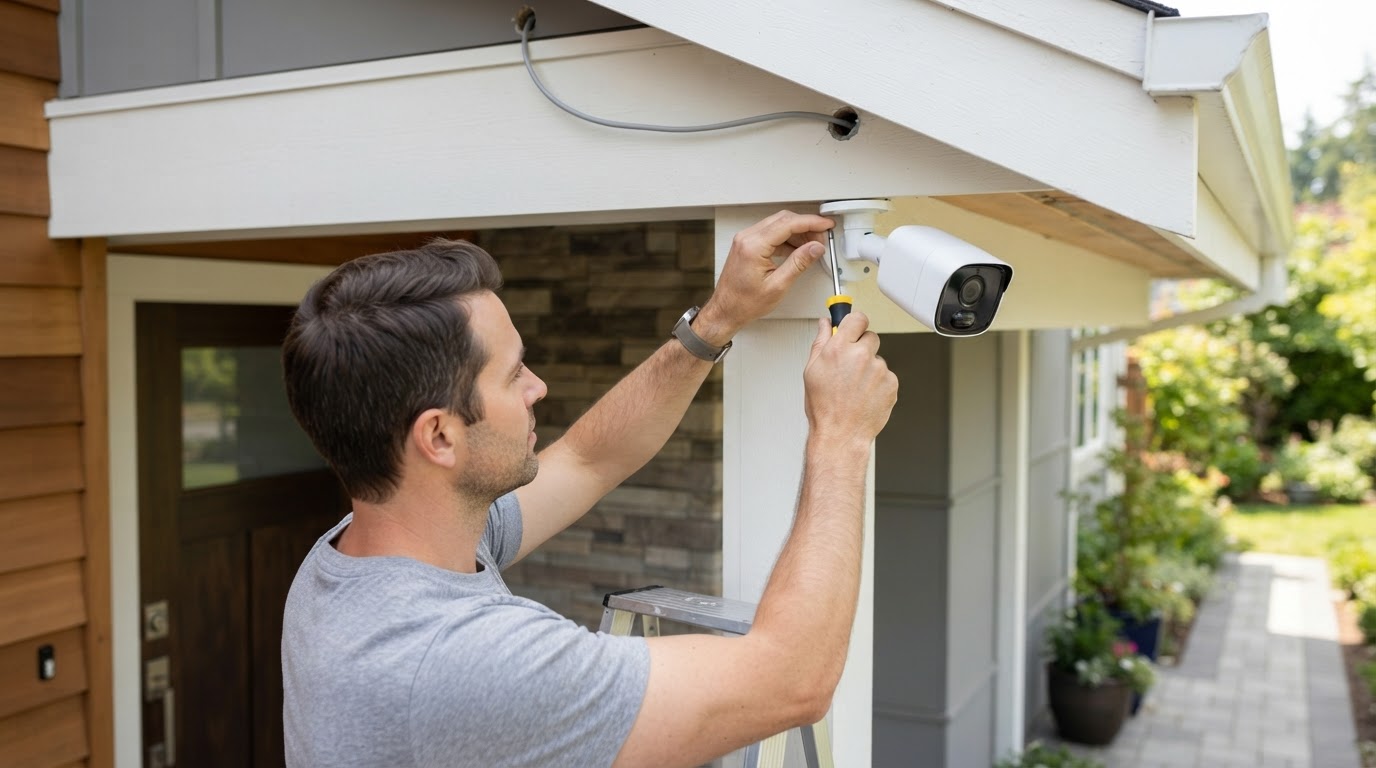
The number of cameras depends on your property size and the areas you want covered. A small home may only need a few cameras, while a business may need more coverage across entrances, storage areas, and parking spaces.
- 2 to 4 cameras: basic home coverage for doors and driveway areas
- 4 to 8 cameras: larger homes, small shops, offices, or multiple outdoor angles
- 8 or more cameras: larger businesses, warehouses, parking lots, or properties with many blind spots
5. Important Features to Look For
- High resolution: clearer images help when reviewing faces, vehicles, and activity.
- Night vision: important for driveways, yards, parking lots, and dark indoor areas.
- Weather resistance: needed for outdoor cameras.
- Wide viewing angle: helps cover larger areas with fewer cameras.
- Remote viewing: lets you check cameras from a phone or computer.
- Storage capacity: larger hard drives can hold more recorded footage.
6. Accessories You May Need
A complete security camera setup may require more than just cameras. Depending on your system, you may also need cables, power supplies, connectors, a recorder, a hard drive, mounting hardware, or network equipment.
- Ethernet cables for POE/IP camera systems
- Coax/power cables for DVR-style systems
- NVR or DVR recorder
- Hard drive storage for recording
- Power adapters or power supply boxes
- Mounting hardware and weather protection
- Network switch or router connection for remote viewing
7. Tips Before You Buy
- Measure cable runs before buying cables.
- Plan camera locations before drilling holes.
- Make sure cameras and recorders are compatible.
- Choose outdoor-rated products for outdoor use.
- Think about future expansion if you may add more cameras later.
- Check whether you need mobile app viewing before choosing a system.
Need Help Choosing the Right Products?
If you are not sure which cameras, recorder, cables, or accessories you need, contact Ronware Security Cameras for help choosing products that fit your home or business setup.
Need Help Choosing the Right Products?
If you are not sure which cameras, recorder, cables, or accessories you need, contact Ronware Security Cameras for help choosing products that fit your home or business setup.
The number of cameras depends on your property size and the areas you want covered. A small home may only need a few cameras, while a business may need more coverage across entrances, storage areas, and parking spaces.
- 2 to 4 cameras: basic home coverage for doors and driveway areas
- 4 to 8 cameras: larger homes, small shops, offices, or multiple outdoor angles
- 8 or more cameras: larger businesses, warehouses, parking lots, or properties with many blind spots
5. Important Features to Look For
- High resolution: clearer images help when reviewing faces, vehicles, and activity.
- Night vision: important for driveways, yards, parking lots, and dark indoor areas.
- Weather resistance: needed for outdoor cameras.
- Wide viewing angle: helps cover larger areas with fewer cameras.
- Remote viewing: lets you check cameras from a phone or computer.
- Storage capacity: larger hard drives can hold more recorded footage.
6. Accessories You May Need
A complete security camera setup may require more than just cameras. Depending on your system, you may also need cables, power supplies, connectors, a recorder, a hard drive, mounting hardware, or network equipment.
- Ethernet cables for POE/IP camera systems
- Coax/power cables for DVR-style systems
- NVR or DVR recorder
- Hard drive storage for recording
- Power adapters or power supply boxes
- Mounting hardware and weather protection
- Network switch or router connection for remote viewing
7. Tips Before You Buy
- Measure cable runs before buying cables.
- Plan camera locations before drilling holes.
- Make sure cameras and recorders are compatible.
- Choose outdoor-rated products for outdoor use.
- Think about future expansion if you may add more cameras later.
- Check whether you need mobile app viewing before choosing a system.
Need Help Choosing the Right Products?
If you are not sure which cameras, recorder, cables, or accessories you need, contact Ronware Security Cameras for help choosing products that fit your home or business setup.
The number of cameras depends on your property size and the areas you want covered. A small home may only need a few cameras, while a business may need more coverage across entrances, storage areas, and parking spaces.
- 2 to 4 cameras: basic home coverage for doors and driveway areas
- 4 to 8 cameras: larger homes, small shops, offices, or multiple outdoor angles
- 8 or more cameras: larger businesses, warehouses, parking lots, or properties with many blind spots
5. Important Features to Look For
- High resolution: clearer images help when reviewing faces, vehicles, and activity.
- Night vision: important for driveways, yards, parking lots, and dark indoor areas.
- Weather resistance: needed for outdoor cameras.
- Wide viewing angle: helps cover larger areas with fewer cameras.
- Remote viewing: lets you check cameras from a phone or computer.
- Storage capacity: larger hard drives can hold more recorded footage.
6. Accessories You May Need
A complete security camera setup may require more than just cameras. Depending on your system, you may also need cables, power supplies, connectors, a recorder, a hard drive, mounting hardware, or network equipment.
- Ethernet cables for POE/IP camera systems
- Coax/power cables for DVR-style systems
- NVR or DVR recorder
- Hard drive storage for recording
- Power adapters or power supply boxes
- Mounting hardware and weather protection
- Network switch or router connection for remote viewing
7. Tips Before You Buy
- Measure cable runs before buying cables.
- Plan camera locations before drilling holes.
- Make sure cameras and recorders are compatible.
- Choose outdoor-rated products for outdoor use.
- Think about future expansion if you may add more cameras later.
- Check whether you need mobile app viewing before choosing a system.
Need Help Choosing the Right Products?
If you are not sure which cameras, recorder, cables, or accessories you need, contact Ronware Security Cameras for help choosing products that fit your home or business setup.
The number of cameras depends on your property size and the areas you want covered. A small home may only need a few cameras, while a business may need more coverage across entrances, storage areas, and parking spaces.
- 2 to 4 cameras: basic home coverage for doors and driveway areas
- 4 to 8 cameras: larger homes, small shops, offices, or multiple outdoor angles
- 8 or more cameras: larger businesses, warehouses, parking lots, or properties with many blind spots
5. Important Features to Look For
- High resolution: clearer images help when reviewing faces, vehicles, and activity.
- Night vision: important for driveways, yards, parking lots, and dark indoor areas.
- Weather resistance: needed for outdoor cameras.
- Wide viewing angle: helps cover larger areas with fewer cameras.
- Remote viewing: lets you check cameras from a phone or computer.
- Storage capacity: larger hard drives can hold more recorded footage.
6. Accessories You May Need
A complete security camera setup may require more than just cameras. Depending on your system, you may also need cables, power supplies, connectors, a recorder, a hard drive, mounting hardware, or network equipment.
- Ethernet cables for POE/IP camera systems
- Coax/power cables for DVR-style systems
- NVR or DVR recorder
- Hard drive storage for recording
- Power adapters or power supply boxes
- Mounting hardware and weather protection
- Network switch or router connection for remote viewing
7. Tips Before You Buy
- Measure cable runs before buying cables.
- Plan camera locations before drilling holes.
- Make sure cameras and recorders are compatible.
- Choose outdoor-rated products for outdoor use.
- Think about future expansion if you may add more cameras later.
- Check whether you need mobile app viewing before choosing a system.
Need Help Choosing the Right Products?
If you are not sure which cameras, recorder, cables, or accessories you need, contact Ronware Security Cameras for help choosing products that fit your home or business setup.
Need Help Choosing the Right Products?
If you are not sure which cameras, recorder, cables, or accessories you need, contact Ronware Security Cameras for help choosing products that fit your home or business setup.
The number of cameras depends on your property size and the areas you want covered. A small home may only need a few cameras, while a business may need more coverage across entrances, storage areas, and parking spaces.
- 2 to 4 cameras: basic home coverage for doors and driveway areas
- 4 to 8 cameras: larger homes, small shops, offices, or multiple outdoor angles
- 8 or more cameras: larger businesses, warehouses, parking lots, or properties with many blind spots
5. Important Features to Look For
- High resolution: clearer images help when reviewing faces, vehicles, and activity.
- Night vision: important for driveways, yards, parking lots, and dark indoor areas.
- Weather resistance: needed for outdoor cameras.
- Wide viewing angle: helps cover larger areas with fewer cameras.
- Remote viewing: lets you check cameras from a phone or computer.
- Storage capacity: larger hard drives can hold more recorded footage.
6. Accessories You May Need
A complete security camera setup may require more than just cameras. Depending on your system, you may also need cables, power supplies, connectors, a recorder, a hard drive, mounting hardware, or network equipment.
- Ethernet cables for POE/IP camera systems
- Coax/power cables for DVR-style systems
- NVR or DVR recorder
- Hard drive storage for recording
- Power adapters or power supply boxes
- Mounting hardware and weather protection
- Network switch or router connection for remote viewing
7. Tips Before You Buy
- Measure cable runs before buying cables.
- Plan camera locations before drilling holes.
- Make sure cameras and recorders are compatible.
- Choose outdoor-rated products for outdoor use.
- Think about future expansion if you may add more cameras later.
- Check whether you need mobile app viewing before choosing a system.
Need Help Choosing the Right Products?
If you are not sure which cameras, recorder, cables, or accessories you need, contact Ronware Security Cameras for help choosing products that fit your home or business setup.
The number of cameras depends on your property size and the areas you want covered. A small home may only need a few cameras, while a business may need more coverage across entrances, storage areas, and parking spaces.
- 2 to 4 cameras: basic home coverage for doors and driveway areas
- 4 to 8 cameras: larger homes, small shops, offices, or multiple outdoor angles
- 8 or more cameras: larger businesses, warehouses, parking lots, or properties with many blind spots
5. Important Features to Look For
- High resolution: clearer images help when reviewing faces, vehicles, and activity.
- Night vision: important for driveways, yards, parking lots, and dark indoor areas.
- Weather resistance: needed for outdoor cameras.
- Wide viewing angle: helps cover larger areas with fewer cameras.
- Remote viewing: lets you check cameras from a phone or computer.
- Storage capacity: larger hard drives can hold more recorded footage.
6. Accessories You May Need
A complete security camera setup may require more than just cameras. Depending on your system, you may also need cables, power supplies, connectors, a recorder, a hard drive, mounting hardware, or network equipment.
- Ethernet cables for POE/IP camera systems
- Coax/power cables for DVR-style systems
- NVR or DVR recorder
- Hard drive storage for recording
- Power adapters or power supply boxes
- Mounting hardware and weather protection
- Network switch or router connection for remote viewing
7. Tips Before You Buy
- Measure cable runs before buying cables.
- Plan camera locations before drilling holes.
- Make sure cameras and recorders are compatible.
- Choose outdoor-rated products for outdoor use.
- Think about future expansion if you may add more cameras later.
- Check whether you need mobile app viewing before choosing a system.
Need Help Choosing the Right Products?
If you are not sure which cameras, recorder, cables, or accessories you need, contact Ronware Security Cameras for help choosing products that fit your home or business setup.
The number of cameras depends on your property size and the areas you want covered. A small home may only need a few cameras, while a business may need more coverage across entrances, storage areas, and parking spaces.
- 2 to 4 cameras: basic home coverage for doors and driveway areas
- 4 to 8 cameras: larger homes, small shops, offices, or multiple outdoor angles
- 8 or more cameras: larger businesses, warehouses, parking lots, or properties with many blind spots
5. Important Features to Look For
- High resolution: clearer images help when reviewing faces, vehicles, and activity.
- Night vision: important for driveways, yards, parking lots, and dark indoor areas.
- Weather resistance: needed for outdoor cameras.
- Wide viewing angle: helps cover larger areas with fewer cameras.
- Remote viewing: lets you check cameras from a phone or computer.
- Storage capacity: larger hard drives can hold more recorded footage.
6. Accessories You May Need
A complete security camera setup may require more than just cameras. Depending on your system, you may also need cables, power supplies, connectors, a recorder, a hard drive, mounting hardware, or network equipment.
- Ethernet cables for POE/IP camera systems
- Coax/power cables for DVR-style systems
- NVR or DVR recorder
- Hard drive storage for recording
- Power adapters or power supply boxes
- Mounting hardware and weather protection
- Network switch or router connection for remote viewing
7. Tips Before You Buy
- Measure cable runs before buying cables.
- Plan camera locations before drilling holes.
- Make sure cameras and recorders are compatible.
- Choose outdoor-rated products for outdoor use.
- Think about future expansion if you may add more cameras later.
- Check whether you need mobile app viewing before choosing a system.
Need Help Choosing the Right Products?
If you are not sure which cameras, recorder, cables, or accessories you need, contact Ronware Security Cameras for help choosing products that fit your home or business setup.
Need Help Choosing the Right Products?
If you are not sure which cameras, recorder, cables, or accessories you need, contact Ronware Security Cameras for help choosing products that fit your home or business setup.
The number of cameras depends on your property size and the areas you want covered. A small home may only need a few cameras, while a business may need more coverage across entrances, storage areas, and parking spaces.
- 2 to 4 cameras: basic home coverage for doors and driveway areas
- 4 to 8 cameras: larger homes, small shops, offices, or multiple outdoor angles
- 8 or more cameras: larger businesses, warehouses, parking lots, or properties with many blind spots
5. Important Features to Look For
- High resolution: clearer images help when reviewing faces, vehicles, and activity.
- Night vision: important for driveways, yards, parking lots, and dark indoor areas.
- Weather resistance: needed for outdoor cameras.
- Wide viewing angle: helps cover larger areas with fewer cameras.
- Remote viewing: lets you check cameras from a phone or computer.
- Storage capacity: larger hard drives can hold more recorded footage.
6. Accessories You May Need
A complete security camera setup may require more than just cameras. Depending on your system, you may also need cables, power supplies, connectors, a recorder, a hard drive, mounting hardware, or network equipment.
- Ethernet cables for POE/IP camera systems
- Coax/power cables for DVR-style systems
- NVR or DVR recorder
- Hard drive storage for recording
- Power adapters or power supply boxes
- Mounting hardware and weather protection
- Network switch or router connection for remote viewing
7. Tips Before You Buy
- Measure cable runs before buying cables.
- Plan camera locations before drilling holes.
- Make sure cameras and recorders are compatible.
- Choose outdoor-rated products for outdoor use.
- Think about future expansion if you may add more cameras later.
- Check whether you need mobile app viewing before choosing a system.
Need Help Choosing the Right Products?
If you are not sure which cameras, recorder, cables, or accessories you need, contact Ronware Security Cameras for help choosing products that fit your home or business setup.
The number of cameras depends on your property size and the areas you want covered. A small home may only need a few cameras, while a business may need more coverage across entrances, storage areas, and parking spaces.
- 2 to 4 cameras: basic home coverage for doors and driveway areas
- 4 to 8 cameras: larger homes, small shops, offices, or multiple outdoor angles
- 8 or more cameras: larger businesses, warehouses, parking lots, or properties with many blind spots
5. Important Features to Look For
- High resolution: clearer images help when reviewing faces, vehicles, and activity.
- Night vision: important for driveways, yards, parking lots, and dark indoor areas.
- Weather resistance: needed for outdoor cameras.
- Wide viewing angle: helps cover larger areas with fewer cameras.
- Remote viewing: lets you check cameras from a phone or computer.
- Storage capacity: larger hard drives can hold more recorded footage.
6. Accessories You May Need
A complete security camera setup may require more than just cameras. Depending on your system, you may also need cables, power supplies, connectors, a recorder, a hard drive, mounting hardware, or network equipment.
- Ethernet cables for POE/IP camera systems
- Coax/power cables for DVR-style systems
- NVR or DVR recorder
- Hard drive storage for recording
- Power adapters or power supply boxes
- Mounting hardware and weather protection
- Network switch or router connection for remote viewing
7. Tips Before You Buy
- Measure cable runs before buying cables.
- Plan camera locations before drilling holes.
- Make sure cameras and recorders are compatible.
- Choose outdoor-rated products for outdoor use.
- Think about future expansion if you may add more cameras later.
- Check whether you need mobile app viewing before choosing a system.
Need Help Choosing the Right Products?
If you are not sure which cameras, recorder, cables, or accessories you need, contact Ronware Security Cameras for help choosing products that fit your home or business setup.
The number of cameras depends on your property size and the areas you want covered. A small home may only need a few cameras, while a business may need more coverage across entrances, storage areas, and parking spaces.
- 2 to 4 cameras: basic home coverage for doors and driveway areas
- 4 to 8 cameras: larger homes, small shops, offices, or multiple outdoor angles
- 8 or more cameras: larger businesses, warehouses, parking lots, or properties with many blind spots
5. Important Features to Look For
- High resolution: clearer images help when reviewing faces, vehicles, and activity.
- Night vision: important for driveways, yards, parking lots, and dark indoor areas.
- Weather resistance: needed for outdoor cameras.
- Wide viewing angle: helps cover larger areas with fewer cameras.
- Remote viewing: lets you check cameras from a phone or computer.
- Storage capacity: larger hard drives can hold more recorded footage.
6. Accessories You May Need
A complete security camera setup may require more than just cameras. Depending on your system, you may also need cables, power supplies, connectors, a recorder, a hard drive, mounting hardware, or network equipment.
- Ethernet cables for POE/IP camera systems
- Coax/power cables for DVR-style systems
- NVR or DVR recorder
- Hard drive storage for recording
- Power adapters or power supply boxes
- Mounting hardware and weather protection
- Network switch or router connection for remote viewing
7. Tips Before You Buy
- Measure cable runs before buying cables.
- Plan camera locations before drilling holes.
- Make sure cameras and recorders are compatible.
- Choose outdoor-rated products for outdoor use.
- Think about future expansion if you may add more cameras later.
- Check whether you need mobile app viewing before choosing a system.
Need Help Choosing the Right Products?
If you are not sure which cameras, recorder, cables, or accessories you need, contact Ronware Security Cameras for help choosing products that fit your home or business setup.
Need Help Choosing the Right Products?
If you are not sure which cameras, recorder, cables, or accessories you need, contact Ronware Security Cameras for help choosing products that fit your home or business setup.
The number of cameras depends on your property size and the areas you want covered. A small home may only need a few cameras, while a business may need more coverage across entrances, storage areas, and parking spaces.
- 2 to 4 cameras: basic home coverage for doors and driveway areas
- 4 to 8 cameras: larger homes, small shops, offices, or multiple outdoor angles
- 8 or more cameras: larger businesses, warehouses, parking lots, or properties with many blind spots
5. Important Features to Look For
- High resolution: clearer images help when reviewing faces, vehicles, and activity.
- Night vision: important for driveways, yards, parking lots, and dark indoor areas.
- Weather resistance: needed for outdoor cameras.
- Wide viewing angle: helps cover larger areas with fewer cameras.
- Remote viewing: lets you check cameras from a phone or computer.
- Storage capacity: larger hard drives can hold more recorded footage.
6. Accessories You May Need
A complete security camera setup may require more than just cameras. Depending on your system, you may also need cables, power supplies, connectors, a recorder, a hard drive, mounting hardware, or network equipment.
- Ethernet cables for POE/IP camera systems
- Coax/power cables for DVR-style systems
- NVR or DVR recorder
- Hard drive storage for recording
- Power adapters or power supply boxes
- Mounting hardware and weather protection
- Network switch or router connection for remote viewing
7. Tips Before You Buy
- Measure cable runs before buying cables.
- Plan camera locations before drilling holes.
- Make sure cameras and recorders are compatible.
- Choose outdoor-rated products for outdoor use.
- Think about future expansion if you may add more cameras later.
- Check whether you need mobile app viewing before choosing a system.
Need Help Choosing the Right Products?
If you are not sure which cameras, recorder, cables, or accessories you need, contact Ronware Security Cameras for help choosing products that fit your home or business setup.
The number of cameras depends on your property size and the areas you want covered. A small home may only need a few cameras, while a business may need more coverage across entrances, storage areas, and parking spaces.
- 2 to 4 cameras: basic home coverage for doors and driveway areas
- 4 to 8 cameras: larger homes, small shops, offices, or multiple outdoor angles
- 8 or more cameras: larger businesses, warehouses, parking lots, or properties with many blind spots
5. Important Features to Look For
- High resolution: clearer images help when reviewing faces, vehicles, and activity.
- Night vision: important for driveways, yards, parking lots, and dark indoor areas.
- Weather resistance: needed for outdoor cameras.
- Wide viewing angle: helps cover larger areas with fewer cameras.
- Remote viewing: lets you check cameras from a phone or computer.
- Storage capacity: larger hard drives can hold more recorded footage.
6. Accessories You May Need
A complete security camera setup may require more than just cameras. Depending on your system, you may also need cables, power supplies, connectors, a recorder, a hard drive, mounting hardware, or network equipment.
- Ethernet cables for POE/IP camera systems
- Coax/power cables for DVR-style systems
- NVR or DVR recorder
- Hard drive storage for recording
- Power adapters or power supply boxes
- Mounting hardware and weather protection
- Network switch or router connection for remote viewing
7. Tips Before You Buy
- Measure cable runs before buying cables.
- Plan camera locations before drilling holes.
- Make sure cameras and recorders are compatible.
- Choose outdoor-rated products for outdoor use.
- Think about future expansion if you may add more cameras later.
- Check whether you need mobile app viewing before choosing a system.
Need Help Choosing the Right Products?
If you are not sure which cameras, recorder, cables, or accessories you need, contact Ronware Security Cameras for help choosing products that fit your home or business setup.
Need Help Choosing the Right Products?
If you are not sure which cameras, recorder, cables, or accessories you need, contact Ronware Security Cameras for help choosing products that fit your home or business setup.
The number of cameras depends on your property size and the areas you want covered. A small home may only need a few cameras, while a business may need more coverage across entrances, storage areas, and parking spaces.
- 2 to 4 cameras: basic home coverage for doors and driveway areas
- 4 to 8 cameras: larger homes, small shops, offices, or multiple outdoor angles
- 8 or more cameras: larger businesses, warehouses, parking lots, or properties with many blind spots
5. Important Features to Look For
- High resolution: clearer images help when reviewing faces, vehicles, and activity.
- Night vision: important for driveways, yards, parking lots, and dark indoor areas.
- Weather resistance: needed for outdoor cameras.
- Wide viewing angle: helps cover larger areas with fewer cameras.
- Remote viewing: lets you check cameras from a phone or computer.
- Storage capacity: larger hard drives can hold more recorded footage.
6. Accessories You May Need
A complete security camera setup may require more than just cameras. Depending on your system, you may also need cables, power supplies, connectors, a recorder, a hard drive, mounting hardware, or network equipment.
- Ethernet cables for POE/IP camera systems
- Coax/power cables for DVR-style systems
- NVR or DVR recorder
- Hard drive storage for recording
- Power adapters or power supply boxes
- Mounting hardware and weather protection
- Network switch or router connection for remote viewing
7. Tips Before You Buy
- Measure cable runs before buying cables.
- Plan camera locations before drilling holes.
- Make sure cameras and recorders are compatible.
- Choose outdoor-rated products for outdoor use.
- Think about future expansion if you may add more cameras later.
- Check whether you need mobile app viewing before choosing a system.
Need Help Choosing the Right Products?
If you are not sure which cameras, recorder, cables, or accessories you need, contact Ronware Security Cameras for help choosing products that fit your home or business setup.
Need Help Choosing the Right Products?
If you are not sure which cameras, recorder, cables, or accessories you need, contact Ronware Security Cameras for help choosing products that fit your home or business setup.
The number of cameras depends on your property size and the areas you want covered. A small home may only need a few cameras, while a business may need more coverage across entrances, storage areas, and parking spaces.
- 2 to 4 cameras: basic home coverage for doors and driveway areas
- 4 to 8 cameras: larger homes, small shops, offices, or multiple outdoor angles
- 8 or more cameras: larger businesses, warehouses, parking lots, or properties with many blind spots
5. Important Features to Look For
- High resolution: clearer images help when reviewing faces, vehicles, and activity.
- Night vision: important for driveways, yards, parking lots, and dark indoor areas.
- Weather resistance: needed for outdoor cameras.
- Wide viewing angle: helps cover larger areas with fewer cameras.
- Remote viewing: lets you check cameras from a phone or computer.
- Storage capacity: larger hard drives can hold more recorded footage.
6. Accessories You May Need
A complete security camera setup may require more than just cameras. Depending on your system, you may also need cables, power supplies, connectors, a recorder, a hard drive, mounting hardware, or network equipment.
- Ethernet cables for POE/IP camera systems
- Coax/power cables for DVR-style systems
- NVR or DVR recorder
- Hard drive storage for recording
- Power adapters or power supply boxes
- Mounting hardware and weather protection
- Network switch or router connection for remote viewing
7. Tips Before You Buy
- Measure cable runs before buying cables.
- Plan camera locations before drilling holes.
- Make sure cameras and recorders are compatible.
- Choose outdoor-rated products for outdoor use.
- Think about future expansion if you may add more cameras later.
- Check whether you need mobile app viewing before choosing a system.
Need Help Choosing the Right Products?
If you are not sure which cameras, recorder, cables, or accessories you need, contact Ronware Security Cameras for help choosing products that fit your home or business setup.
The number of cameras depends on your property size and the areas you want covered. A small home may only need a few cameras, while a business may need more coverage across entrances, storage areas, and parking spaces.
- 2 to 4 cameras: basic home coverage for doors and driveway areas
- 4 to 8 cameras: larger homes, small shops, offices, or multiple outdoor angles
- 8 or more cameras: larger businesses, warehouses, parking lots, or properties with many blind spots
5. Important Features to Look For
- High resolution: clearer images help when reviewing faces, vehicles, and activity.
- Night vision: important for driveways, yards, parking lots, and dark indoor areas.
- Weather resistance: needed for outdoor cameras.
- Wide viewing angle: helps cover larger areas with fewer cameras.
- Remote viewing: lets you check cameras from a phone or computer.
- Storage capacity: larger hard drives can hold more recorded footage.
6. Accessories You May Need
A complete security camera setup may require more than just cameras. Depending on your system, you may also need cables, power supplies, connectors, a recorder, a hard drive, mounting hardware, or network equipment.
- Ethernet cables for POE/IP camera systems
- Coax/power cables for DVR-style systems
- NVR or DVR recorder
- Hard drive storage for recording
- Power adapters or power supply boxes
- Mounting hardware and weather protection
- Network switch or router connection for remote viewing
7. Tips Before You Buy
- Measure cable runs before buying cables.
- Plan camera locations before drilling holes.
- Make sure cameras and recorders are compatible.
- Choose outdoor-rated products for outdoor use.
- Think about future expansion if you may add more cameras later.
- Check whether you need mobile app viewing before choosing a system.
Need Help Choosing the Right Products?
If you are not sure which cameras, recorder, cables, or accessories you need, contact Ronware Security Cameras for help choosing products that fit your home or business setup.
The number of cameras depends on your property size and the areas you want covered. A small home may only need a few cameras, while a business may need more coverage across entrances, storage areas, and parking spaces.
- 2 to 4 cameras: basic home coverage for doors and driveway areas
- 4 to 8 cameras: larger homes, small shops, offices, or multiple outdoor angles
- 8 or more cameras: larger businesses, warehouses, parking lots, or properties with many blind spots
5. Important Features to Look For
- High resolution: clearer images help when reviewing faces, vehicles, and activity.
- Night vision: important for driveways, yards, parking lots, and dark indoor areas.
- Weather resistance: needed for outdoor cameras.
- Wide viewing angle: helps cover larger areas with fewer cameras.
- Remote viewing: lets you check cameras from a phone or computer.
- Storage capacity: larger hard drives can hold more recorded footage.
6. Accessories You May Need
A complete security camera setup may require more than just cameras. Depending on your system, you may also need cables, power supplies, connectors, a recorder, a hard drive, mounting hardware, or network equipment.
- Ethernet cables for POE/IP camera systems
- Coax/power cables for DVR-style systems
- NVR or DVR recorder
- Hard drive storage for recording
- Power adapters or power supply boxes
- Mounting hardware and weather protection
- Network switch or router connection for remote viewing
7. Tips Before You Buy
- Measure cable runs before buying cables.
- Plan camera locations before drilling holes.
- Make sure cameras and recorders are compatible.
- Choose outdoor-rated products for outdoor use.
- Think about future expansion if you may add more cameras later.
- Check whether you need mobile app viewing before choosing a system.
Need Help Choosing the Right Products?
If you are not sure which cameras, recorder, cables, or accessories you need, contact Ronware Security Cameras for help choosing products that fit your home or business setup.
The number of cameras depends on your property size and the areas you want covered. A small home may only need a few cameras, while a business may need more coverage across entrances, storage areas, and parking spaces.
- 2 to 4 cameras: basic home coverage for doors and driveway areas
- 4 to 8 cameras: larger homes, small shops, offices, or multiple outdoor angles
- 8 or more cameras: larger businesses, warehouses, parking lots, or properties with many blind spots
5. Important Features to Look For
- High resolution: clearer images help when reviewing faces, vehicles, and activity.
- Night vision: important for driveways, yards, parking lots, and dark indoor areas.
- Weather resistance: needed for outdoor cameras.
- Wide viewing angle: helps cover larger areas with fewer cameras.
- Remote viewing: lets you check cameras from a phone or computer.
- Storage capacity: larger hard drives can hold more recorded footage.
6. Accessories You May Need
A complete security camera setup may require more than just cameras. Depending on your system, you may also need cables, power supplies, connectors, a recorder, a hard drive, mounting hardware, or network equipment.
- Ethernet cables for POE/IP camera systems
- Coax/power cables for DVR-style systems
- NVR or DVR recorder
- Hard drive storage for recording
- Power adapters or power supply boxes
- Mounting hardware and weather protection
- Network switch or router connection for remote viewing
7. Tips Before You Buy
- Measure cable runs before buying cables.
- Plan camera locations before drilling holes.
- Make sure cameras and recorders are compatible.
- Choose outdoor-rated products for outdoor use.
- Think about future expansion if you may add more cameras later.
- Check whether you need mobile app viewing before choosing a system.
Need Help Choosing the Right Products?
If you are not sure which cameras, recorder, cables, or accessories you need, contact Ronware Security Cameras for help choosing products that fit your home or business setup.
Need Help Choosing the Right Products?
If you are not sure which cameras, recorder, cables, or accessories you need, contact Ronware Security Cameras for help choosing products that fit your home or business setup.
The number of cameras depends on your property size and the areas you want covered. A small home may only need a few cameras, while a business may need more coverage across entrances, storage areas, and parking spaces.
- 2 to 4 cameras: basic home coverage for doors and driveway areas
- 4 to 8 cameras: larger homes, small shops, offices, or multiple outdoor angles
- 8 or more cameras: larger businesses, warehouses, parking lots, or properties with many blind spots
5. Important Features to Look For
- High resolution: clearer images help when reviewing faces, vehicles, and activity.
- Night vision: important for driveways, yards, parking lots, and dark indoor areas.
- Weather resistance: needed for outdoor cameras.
- Wide viewing angle: helps cover larger areas with fewer cameras.
- Remote viewing: lets you check cameras from a phone or computer.
- Storage capacity: larger hard drives can hold more recorded footage.
6. Accessories You May Need
A complete security camera setup may require more than just cameras. Depending on your system, you may also need cables, power supplies, connectors, a recorder, a hard drive, mounting hardware, or network equipment.
- Ethernet cables for POE/IP camera systems
- Coax/power cables for DVR-style systems
- NVR or DVR recorder
- Hard drive storage for recording
- Power adapters or power supply boxes
- Mounting hardware and weather protection
- Network switch or router connection for remote viewing
7. Tips Before You Buy
- Measure cable runs before buying cables.
- Plan camera locations before drilling holes.
- Make sure cameras and recorders are compatible.
- Choose outdoor-rated products for outdoor use.
- Think about future expansion if you may add more cameras later.
- Check whether you need mobile app viewing before choosing a system.
Need Help Choosing the Right Products?
If you are not sure which cameras, recorder, cables, or accessories you need, contact Ronware Security Cameras for help choosing products that fit your home or business setup.
The number of cameras depends on your property size and the areas you want covered. A small home may only need a few cameras, while a business may need more coverage across entrances, storage areas, and parking spaces.
- 2 to 4 cameras: basic home coverage for doors and driveway areas
- 4 to 8 cameras: larger homes, small shops, offices, or multiple outdoor angles
- 8 or more cameras: larger businesses, warehouses, parking lots, or properties with many blind spots
5. Important Features to Look For
- High resolution: clearer images help when reviewing faces, vehicles, and activity.
- Night vision: important for driveways, yards, parking lots, and dark indoor areas.
- Weather resistance: needed for outdoor cameras.
- Wide viewing angle: helps cover larger areas with fewer cameras.
- Remote viewing: lets you check cameras from a phone or computer.
- Storage capacity: larger hard drives can hold more recorded footage.
6. Accessories You May Need
A complete security camera setup may require more than just cameras. Depending on your system, you may also need cables, power supplies, connectors, a recorder, a hard drive, mounting hardware, or network equipment.
- Ethernet cables for POE/IP camera systems
- Coax/power cables for DVR-style systems
- NVR or DVR recorder
- Hard drive storage for recording
- Power adapters or power supply boxes
- Mounting hardware and weather protection
- Network switch or router connection for remote viewing
7. Tips Before You Buy
- Measure cable runs before buying cables.
- Plan camera locations before drilling holes.
- Make sure cameras and recorders are compatible.
- Choose outdoor-rated products for outdoor use.
- Think about future expansion if you may add more cameras later.
- Check whether you need mobile app viewing before choosing a system.
Need Help Choosing the Right Products?
If you are not sure which cameras, recorder, cables, or accessories you need, contact Ronware Security Cameras for help choosing products that fit your home or business setup.
The number of cameras depends on your property size and the areas you want covered. A small home may only need a few cameras, while a business may need more coverage across entrances, storage areas, and parking spaces.
- 2 to 4 cameras: basic home coverage for doors and driveway areas
- 4 to 8 cameras: larger homes, small shops, offices, or multiple outdoor angles
- 8 or more cameras: larger businesses, warehouses, parking lots, or properties with many blind spots
5. Important Features to Look For
- High resolution: clearer images help when reviewing faces, vehicles, and activity.
- Night vision: important for driveways, yards, parking lots, and dark indoor areas.
- Weather resistance: needed for outdoor cameras.
- Wide viewing angle: helps cover larger areas with fewer cameras.
- Remote viewing: lets you check cameras from a phone or computer.
- Storage capacity: larger hard drives can hold more recorded footage.
6. Accessories You May Need
A complete security camera setup may require more than just cameras. Depending on your system, you may also need cables, power supplies, connectors, a recorder, a hard drive, mounting hardware, or network equipment.
- Ethernet cables for POE/IP camera systems
- Coax/power cables for DVR-style systems
- NVR or DVR recorder
- Hard drive storage for recording
- Power adapters or power supply boxes
- Mounting hardware and weather protection
- Network switch or router connection for remote viewing
7. Tips Before You Buy
- Measure cable runs before buying cables.
- Plan camera locations before drilling holes.
- Make sure cameras and recorders are compatible.
- Choose outdoor-rated products for outdoor use.
- Think about future expansion if you may add more cameras later.
- Check whether you need mobile app viewing before choosing a system.
Need Help Choosing the Right Products?
If you are not sure which cameras, recorder, cables, or accessories you need, contact Ronware Security Cameras for help choosing products that fit your home or business setup.
The number of cameras depends on your property size and the areas you want covered. A small home may only need a few cameras, while a business may need more coverage across entrances, storage areas, and parking spaces.
- 2 to 4 cameras: basic home coverage for doors and driveway areas
- 4 to 8 cameras: larger homes, small shops, offices, or multiple outdoor angles
- 8 or more cameras: larger businesses, warehouses, parking lots, or properties with many blind spots
5. Important Features to Look For
- High resolution: clearer images help when reviewing faces, vehicles, and activity.
- Night vision: important for driveways, yards, parking lots, and dark indoor areas.
- Weather resistance: needed for outdoor cameras.
- Wide viewing angle: helps cover larger areas with fewer cameras.
- Remote viewing: lets you check cameras from a phone or computer.
- Storage capacity: larger hard drives can hold more recorded footage.
6. Accessories You May Need
A complete security camera setup may require more than just cameras. Depending on your system, you may also need cables, power supplies, connectors, a recorder, a hard drive, mounting hardware, or network equipment.
- Ethernet cables for POE/IP camera systems
- Coax/power cables for DVR-style systems
- NVR or DVR recorder
- Hard drive storage for recording
- Power adapters or power supply boxes
- Mounting hardware and weather protection
- Network switch or router connection for remote viewing
7. Tips Before You Buy
- Measure cable runs before buying cables.
- Plan camera locations before drilling holes.
- Make sure cameras and recorders are compatible.
- Choose outdoor-rated products for outdoor use.
- Think about future expansion if you may add more cameras later.
- Check whether you need mobile app viewing before choosing a system.
Need Help Choosing the Right Products?
If you are not sure which cameras, recorder, cables, or accessories you need, contact Ronware Security Cameras for help choosing products that fit your home or business setup.
The number of cameras depends on your property size and the areas you want covered. A small home may only need a few cameras, while a business may need more coverage across entrances, storage areas, and parking spaces.
- 2 to 4 cameras: basic home coverage for doors and driveway areas
- 4 to 8 cameras: larger homes, small shops, offices, or multiple outdoor angles
- 8 or more cameras: larger businesses, warehouses, parking lots, or properties with many blind spots
5. Important Features to Look For
- High resolution: clearer images help when reviewing faces, vehicles, and activity.
- Night vision: important for driveways, yards, parking lots, and dark indoor areas.
- Weather resistance: needed for outdoor cameras.
- Wide viewing angle: helps cover larger areas with fewer cameras.
- Remote viewing: lets you check cameras from a phone or computer.
- Storage capacity: larger hard drives can hold more recorded footage.
6. Accessories You May Need
A complete security camera setup may require more than just cameras. Depending on your system, you may also need cables, power supplies, connectors, a recorder, a hard drive, mounting hardware, or network equipment.
- Ethernet cables for POE/IP camera systems
- Coax/power cables for DVR-style systems
- NVR or DVR recorder
- Hard drive storage for recording
- Power adapters or power supply boxes
- Mounting hardware and weather protection
- Network switch or router connection for remote viewing
7. Tips Before You Buy
- Measure cable runs before buying cables.
- Plan camera locations before drilling holes.
- Make sure cameras and recorders are compatible.
- Choose outdoor-rated products for outdoor use.
- Think about future expansion if you may add more cameras later.
- Check whether you need mobile app viewing before choosing a system.
Need Help Choosing the Right Products?
If you are not sure which cameras, recorder, cables, or accessories you need, contact Ronware Security Cameras for help choosing products that fit your home or business setup.
Need Help Choosing the Right Products?
If you are not sure which cameras, recorder, cables, or accessories you need, contact Ronware Security Cameras for help choosing products that fit your home or business setup.
The number of cameras depends on your property size and the areas you want covered. A small home may only need a few cameras, while a business may need more coverage across entrances, storage areas, and parking spaces.
- 2 to 4 cameras: basic home coverage for doors and driveway areas
- 4 to 8 cameras: larger homes, small shops, offices, or multiple outdoor angles
- 8 or more cameras: larger businesses, warehouses, parking lots, or properties with many blind spots
5. Important Features to Look For
- High resolution: clearer images help when reviewing faces, vehicles, and activity.
- Night vision: important for driveways, yards, parking lots, and dark indoor areas.
- Weather resistance: needed for outdoor cameras.
- Wide viewing angle: helps cover larger areas with fewer cameras.
- Remote viewing: lets you check cameras from a phone or computer.
- Storage capacity: larger hard drives can hold more recorded footage.
6. Accessories You May Need
A complete security camera setup may require more than just cameras. Depending on your system, you may also need cables, power supplies, connectors, a recorder, a hard drive, mounting hardware, or network equipment.
- Ethernet cables for POE/IP camera systems
- Coax/power cables for DVR-style systems
- NVR or DVR recorder
- Hard drive storage for recording
- Power adapters or power supply boxes
- Mounting hardware and weather protection
- Network switch or router connection for remote viewing
7. Tips Before You Buy
- Measure cable runs before buying cables.
- Plan camera locations before drilling holes.
- Make sure cameras and recorders are compatible.
- Choose outdoor-rated products for outdoor use.
- Think about future expansion if you may add more cameras later.
- Check whether you need mobile app viewing before choosing a system.
Need Help Choosing the Right Products?
If you are not sure which cameras, recorder, cables, or accessories you need, contact Ronware Security Cameras for help choosing products that fit your home or business setup.
The number of cameras depends on your property size and the areas you want covered. A small home may only need a few cameras, while a business may need more coverage across entrances, storage areas, and parking spaces.
- 2 to 4 cameras: basic home coverage for doors and driveway areas
- 4 to 8 cameras: larger homes, small shops, offices, or multiple outdoor angles
- 8 or more cameras: larger businesses, warehouses, parking lots, or properties with many blind spots
5. Important Features to Look For
- High resolution: clearer images help when reviewing faces, vehicles, and activity.
- Night vision: important for driveways, yards, parking lots, and dark indoor areas.
- Weather resistance: needed for outdoor cameras.
- Wide viewing angle: helps cover larger areas with fewer cameras.
- Remote viewing: lets you check cameras from a phone or computer.
- Storage capacity: larger hard drives can hold more recorded footage.
6. Accessories You May Need
A complete security camera setup may require more than just cameras. Depending on your system, you may also need cables, power supplies, connectors, a recorder, a hard drive, mounting hardware, or network equipment.
- Ethernet cables for POE/IP camera systems
- Coax/power cables for DVR-style systems
- NVR or DVR recorder
- Hard drive storage for recording
- Power adapters or power supply boxes
- Mounting hardware and weather protection
- Network switch or router connection for remote viewing
7. Tips Before You Buy
- Measure cable runs before buying cables.
- Plan camera locations before drilling holes.
- Make sure cameras and recorders are compatible.
- Choose outdoor-rated products for outdoor use.
- Think about future expansion if you may add more cameras later.
- Check whether you need mobile app viewing before choosing a system.
Need Help Choosing the Right Products?
If you are not sure which cameras, recorder, cables, or accessories you need, contact Ronware Security Cameras for help choosing products that fit your home or business setup.
The number of cameras depends on your property size and the areas you want covered. A small home may only need a few cameras, while a business may need more coverage across entrances, storage areas, and parking spaces.
- 2 to 4 cameras: basic home coverage for doors and driveway areas
- 4 to 8 cameras: larger homes, small shops, offices, or multiple outdoor angles
- 8 or more cameras: larger businesses, warehouses, parking lots, or properties with many blind spots
5. Important Features to Look For
- High resolution: clearer images help when reviewing faces, vehicles, and activity.
- Night vision: important for driveways, yards, parking lots, and dark indoor areas.
- Weather resistance: needed for outdoor cameras.
- Wide viewing angle: helps cover larger areas with fewer cameras.
- Remote viewing: lets you check cameras from a phone or computer.
- Storage capacity: larger hard drives can hold more recorded footage.
6. Accessories You May Need
A complete security camera setup may require more than just cameras. Depending on your system, you may also need cables, power supplies, connectors, a recorder, a hard drive, mounting hardware, or network equipment.
- Ethernet cables for POE/IP camera systems
- Coax/power cables for DVR-style systems
- NVR or DVR recorder
- Hard drive storage for recording
- Power adapters or power supply boxes
- Mounting hardware and weather protection
- Network switch or router connection for remote viewing
7. Tips Before You Buy
- Measure cable runs before buying cables.
- Plan camera locations before drilling holes.
- Make sure cameras and recorders are compatible.
- Choose outdoor-rated products for outdoor use.
- Think about future expansion if you may add more cameras later.
- Check whether you need mobile app viewing before choosing a system.
Need Help Choosing the Right Products?
If you are not sure which cameras, recorder, cables, or accessories you need, contact Ronware Security Cameras for help choosing products that fit your home or business setup.
The number of cameras depends on your property size and the areas you want covered. A small home may only need a few cameras, while a business may need more coverage across entrances, storage areas, and parking spaces.
- 2 to 4 cameras: basic home coverage for doors and driveway areas
- 4 to 8 cameras: larger homes, small shops, offices, or multiple outdoor angles
- 8 or more cameras: larger businesses, warehouses, parking lots, or properties with many blind spots
5. Important Features to Look For
- High resolution: clearer images help when reviewing faces, vehicles, and activity.
- Night vision: important for driveways, yards, parking lots, and dark indoor areas.
- Weather resistance: needed for outdoor cameras.
- Wide viewing angle: helps cover larger areas with fewer cameras.
- Remote viewing: lets you check cameras from a phone or computer.
- Storage capacity: larger hard drives can hold more recorded footage.
6. Accessories You May Need
A complete security camera setup may require more than just cameras. Depending on your system, you may also need cables, power supplies, connectors, a recorder, a hard drive, mounting hardware, or network equipment.
- Ethernet cables for POE/IP camera systems
- Coax/power cables for DVR-style systems
- NVR or DVR recorder
- Hard drive storage for recording
- Power adapters or power supply boxes
- Mounting hardware and weather protection
- Network switch or router connection for remote viewing
7. Tips Before You Buy
- Measure cable runs before buying cables.
- Plan camera locations before drilling holes.
- Make sure cameras and recorders are compatible.
- Choose outdoor-rated products for outdoor use.
- Think about future expansion if you may add more cameras later.
- Check whether you need mobile app viewing before choosing a system.
Need Help Choosing the Right Products?
If you are not sure which cameras, recorder, cables, or accessories you need, contact Ronware Security Cameras for help choosing products that fit your home or business setup.
The number of cameras depends on your property size and the areas you want covered. A small home may only need a few cameras, while a business may need more coverage across entrances, storage areas, and parking spaces.
- 2 to 4 cameras: basic home coverage for doors and driveway areas
- 4 to 8 cameras: larger homes, small shops, offices, or multiple outdoor angles
- 8 or more cameras: larger businesses, warehouses, parking lots, or properties with many blind spots
5. Important Features to Look For
- High resolution: clearer images help when reviewing faces, vehicles, and activity.
- Night vision: important for driveways, yards, parking lots, and dark indoor areas.
- Weather resistance: needed for outdoor cameras.
- Wide viewing angle: helps cover larger areas with fewer cameras.
- Remote viewing: lets you check cameras from a phone or computer.
- Storage capacity: larger hard drives can hold more recorded footage.
6. Accessories You May Need
A complete security camera setup may require more than just cameras. Depending on your system, you may also need cables, power supplies, connectors, a recorder, a hard drive, mounting hardware, or network equipment.
- Ethernet cables for POE/IP camera systems
- Coax/power cables for DVR-style systems
- NVR or DVR recorder
- Hard drive storage for recording
- Power adapters or power supply boxes
- Mounting hardware and weather protection
- Network switch or router connection for remote viewing
7. Tips Before You Buy
- Measure cable runs before buying cables.
- Plan camera locations before drilling holes.
- Make sure cameras and recorders are compatible.
- Choose outdoor-rated products for outdoor use.
- Think about future expansion if you may add more cameras later.
- Check whether you need mobile app viewing before choosing a system.
Need Help Choosing the Right Products?
If you are not sure which cameras, recorder, cables, or accessories you need, contact Ronware Security Cameras for help choosing products that fit your home or business setup.
Need Help Choosing the Right Products?
If you are not sure which cameras, recorder, cables, or accessories you need, contact Ronware Security Cameras for help choosing products that fit your home or business setup.
The number of cameras depends on your property size and the areas you want covered. A small home may only need a few cameras, while a business may need more coverage across entrances, storage areas, and parking spaces.
- 2 to 4 cameras: basic home coverage for doors and driveway areas
- 4 to 8 cameras: larger homes, small shops, offices, or multiple outdoor angles
- 8 or more cameras: larger businesses, warehouses, parking lots, or properties with many blind spots
5. Important Features to Look For
- High resolution: clearer images help when reviewing faces, vehicles, and activity.
- Night vision: important for driveways, yards, parking lots, and dark indoor areas.
- Weather resistance: needed for outdoor cameras.
- Wide viewing angle: helps cover larger areas with fewer cameras.
- Remote viewing: lets you check cameras from a phone or computer.
- Storage capacity: larger hard drives can hold more recorded footage.
6. Accessories You May Need
A complete security camera setup may require more than just cameras. Depending on your system, you may also need cables, power supplies, connectors, a recorder, a hard drive, mounting hardware, or network equipment.
- Ethernet cables for POE/IP camera systems
- Coax/power cables for DVR-style systems
- NVR or DVR recorder
- Hard drive storage for recording
- Power adapters or power supply boxes
- Mounting hardware and weather protection
- Network switch or router connection for remote viewing
7. Tips Before You Buy
- Measure cable runs before buying cables.
- Plan camera locations before drilling holes.
- Make sure cameras and recorders are compatible.
- Choose outdoor-rated products for outdoor use.
- Think about future expansion if you may add more cameras later.
- Check whether you need mobile app viewing before choosing a system.
Need Help Choosing the Right Products?
If you are not sure which cameras, recorder, cables, or accessories you need, contact Ronware Security Cameras for help choosing products that fit your home or business setup.
The number of cameras depends on your property size and the areas you want covered. A small home may only need a few cameras, while a business may need more coverage across entrances, storage areas, and parking spaces.
- 2 to 4 cameras: basic home coverage for doors and driveway areas
- 4 to 8 cameras: larger homes, small shops, offices, or multiple outdoor angles
- 8 or more cameras: larger businesses, warehouses, parking lots, or properties with many blind spots
5. Important Features to Look For
- High resolution: clearer images help when reviewing faces, vehicles, and activity.
- Night vision: important for driveways, yards, parking lots, and dark indoor areas.
- Weather resistance: needed for outdoor cameras.
- Wide viewing angle: helps cover larger areas with fewer cameras.
- Remote viewing: lets you check cameras from a phone or computer.
- Storage capacity: larger hard drives can hold more recorded footage.
6. Accessories You May Need
A complete security camera setup may require more than just cameras. Depending on your system, you may also need cables, power supplies, connectors, a recorder, a hard drive, mounting hardware, or network equipment.
- Ethernet cables for POE/IP camera systems
- Coax/power cables for DVR-style systems
- NVR or DVR recorder
- Hard drive storage for recording
- Power adapters or power supply boxes
- Mounting hardware and weather protection
- Network switch or router connection for remote viewing
7. Tips Before You Buy
- Measure cable runs before buying cables.
- Plan camera locations before drilling holes.
- Make sure cameras and recorders are compatible.
- Choose outdoor-rated products for outdoor use.
- Think about future expansion if you may add more cameras later.
- Check whether you need mobile app viewing before choosing a system.
Need Help Choosing the Right Products?
If you are not sure which cameras, recorder, cables, or accessories you need, contact Ronware Security Cameras for help choosing products that fit your home or business setup.
Need Help Choosing the Right Products?
If you are not sure which cameras, recorder, cables, or accessories you need, contact Ronware Security Cameras for help choosing products that fit your home or business setup.
The number of cameras depends on your property size and the areas you want covered. A small home may only need a few cameras, while a business may need more coverage across entrances, storage areas, and parking spaces.
- 2 to 4 cameras: basic home coverage for doors and driveway areas
- 4 to 8 cameras: larger homes, small shops, offices, or multiple outdoor angles
- 8 or more cameras: larger businesses, warehouses, parking lots, or properties with many blind spots
5. Important Features to Look For
- High resolution: clearer images help when reviewing faces, vehicles, and activity.
- Night vision: important for driveways, yards, parking lots, and dark indoor areas.
- Weather resistance: needed for outdoor cameras.
- Wide viewing angle: helps cover larger areas with fewer cameras.
- Remote viewing: lets you check cameras from a phone or computer.
- Storage capacity: larger hard drives can hold more recorded footage.
6. Accessories You May Need
A complete security camera setup may require more than just cameras. Depending on your system, you may also need cables, power supplies, connectors, a recorder, a hard drive, mounting hardware, or network equipment.
- Ethernet cables for POE/IP camera systems
- Coax/power cables for DVR-style systems
- NVR or DVR recorder
- Hard drive storage for recording
- Power adapters or power supply boxes
- Mounting hardware and weather protection
- Network switch or router connection for remote viewing
7. Tips Before You Buy
- Measure cable runs before buying cables.
- Plan camera locations before drilling holes.
- Make sure cameras and recorders are compatible.
- Choose outdoor-rated products for outdoor use.
- Think about future expansion if you may add more cameras later.
- Check whether you need mobile app viewing before choosing a system.
Need Help Choosing the Right Products?
If you are not sure which cameras, recorder, cables, or accessories you need, contact Ronware Security Cameras for help choosing products that fit your home or business setup.
The number of cameras depends on your property size and the areas you want covered. A small home may only need a few cameras, while a business may need more coverage across entrances, storage areas, and parking spaces.
- 2 to 4 cameras: basic home coverage for doors and driveway areas
- 4 to 8 cameras: larger homes, small shops, offices, or multiple outdoor angles
- 8 or more cameras: larger businesses, warehouses, parking lots, or properties with many blind spots
5. Important Features to Look For
- High resolution: clearer images help when reviewing faces, vehicles, and activity.
- Night vision: important for driveways, yards, parking lots, and dark indoor areas.
- Weather resistance: needed for outdoor cameras.
- Wide viewing angle: helps cover larger areas with fewer cameras.
- Remote viewing: lets you check cameras from a phone or computer.
- Storage capacity: larger hard drives can hold more recorded footage.
6. Accessories You May Need
A complete security camera setup may require more than just cameras. Depending on your system, you may also need cables, power supplies, connectors, a recorder, a hard drive, mounting hardware, or network equipment.
- Ethernet cables for POE/IP camera systems
- Coax/power cables for DVR-style systems
- NVR or DVR recorder
- Hard drive storage for recording
- Power adapters or power supply boxes
- Mounting hardware and weather protection
- Network switch or router connection for remote viewing
7. Tips Before You Buy
- Measure cable runs before buying cables.
- Plan camera locations before drilling holes.
- Make sure cameras and recorders are compatible.
- Choose outdoor-rated products for outdoor use.
- Think about future expansion if you may add more cameras later.
- Check whether you need mobile app viewing before choosing a system.
Need Help Choosing the Right Products?
If you are not sure which cameras, recorder, cables, or accessories you need, contact Ronware Security Cameras for help choosing products that fit your home or business setup.
The number of cameras depends on your property size and the areas you want covered. A small home may only need a few cameras, while a business may need more coverage across entrances, storage areas, and parking spaces.
- 2 to 4 cameras: basic home coverage for doors and driveway areas
- 4 to 8 cameras: larger homes, small shops, offices, or multiple outdoor angles
- 8 or more cameras: larger businesses, warehouses, parking lots, or properties with many blind spots
5. Important Features to Look For
- High resolution: clearer images help when reviewing faces, vehicles, and activity.
- Night vision: important for driveways, yards, parking lots, and dark indoor areas.
- Weather resistance: needed for outdoor cameras.
- Wide viewing angle: helps cover larger areas with fewer cameras.
- Remote viewing: lets you check cameras from a phone or computer.
- Storage capacity: larger hard drives can hold more recorded footage.
6. Accessories You May Need
A complete security camera setup may require more than just cameras. Depending on your system, you may also need cables, power supplies, connectors, a recorder, a hard drive, mounting hardware, or network equipment.
- Ethernet cables for POE/IP camera systems
- Coax/power cables for DVR-style systems
- NVR or DVR recorder
- Hard drive storage for recording
- Power adapters or power supply boxes
- Mounting hardware and weather protection
- Network switch or router connection for remote viewing
7. Tips Before You Buy
- Measure cable runs before buying cables.
- Plan camera locations before drilling holes.
- Make sure cameras and recorders are compatible.
- Choose outdoor-rated products for outdoor use.
- Think about future expansion if you may add more cameras later.
- Check whether you need mobile app viewing before choosing a system.
Need Help Choosing the Right Products?
If you are not sure which cameras, recorder, cables, or accessories you need, contact Ronware Security Cameras for help choosing products that fit your home or business setup.
Need Help Choosing the Right Products?
If you are not sure which cameras, recorder, cables, or accessories you need, contact Ronware Security Cameras for help choosing products that fit your home or business setup.
The number of cameras depends on your property size and the areas you want covered. A small home may only need a few cameras, while a business may need more coverage across entrances, storage areas, and parking spaces.
- 2 to 4 cameras: basic home coverage for doors and driveway areas
- 4 to 8 cameras: larger homes, small shops, offices, or multiple outdoor angles
- 8 or more cameras: larger businesses, warehouses, parking lots, or properties with many blind spots
5. Important Features to Look For
- High resolution: clearer images help when reviewing faces, vehicles, and activity.
- Night vision: important for driveways, yards, parking lots, and dark indoor areas.
- Weather resistance: needed for outdoor cameras.
- Wide viewing angle: helps cover larger areas with fewer cameras.
- Remote viewing: lets you check cameras from a phone or computer.
- Storage capacity: larger hard drives can hold more recorded footage.
6. Accessories You May Need
A complete security camera setup may require more than just cameras. Depending on your system, you may also need cables, power supplies, connectors, a recorder, a hard drive, mounting hardware, or network equipment.
- Ethernet cables for POE/IP camera systems
- Coax/power cables for DVR-style systems
- NVR or DVR recorder
- Hard drive storage for recording
- Power adapters or power supply boxes
- Mounting hardware and weather protection
- Network switch or router connection for remote viewing
7. Tips Before You Buy
- Measure cable runs before buying cables.
- Plan camera locations before drilling holes.
- Make sure cameras and recorders are compatible.
- Choose outdoor-rated products for outdoor use.
- Think about future expansion if you may add more cameras later.
- Check whether you need mobile app viewing before choosing a system.
Need Help Choosing the Right Products?
If you are not sure which cameras, recorder, cables, or accessories you need, contact Ronware Security Cameras for help choosing products that fit your home or business setup.
The number of cameras depends on your property size and the areas you want covered. A small home may only need a few cameras, while a business may need more coverage across entrances, storage areas, and parking spaces.
- 2 to 4 cameras: basic home coverage for doors and driveway areas
- 4 to 8 cameras: larger homes, small shops, offices, or multiple outdoor angles
- 8 or more cameras: larger businesses, warehouses, parking lots, or properties with many blind spots
5. Important Features to Look For
- High resolution: clearer images help when reviewing faces, vehicles, and activity.
- Night vision: important for driveways, yards, parking lots, and dark indoor areas.
- Weather resistance: needed for outdoor cameras.
- Wide viewing angle: helps cover larger areas with fewer cameras.
- Remote viewing: lets you check cameras from a phone or computer.
- Storage capacity: larger hard drives can hold more recorded footage.
6. Accessories You May Need
A complete security camera setup may require more than just cameras. Depending on your system, you may also need cables, power supplies, connectors, a recorder, a hard drive, mounting hardware, or network equipment.
- Ethernet cables for POE/IP camera systems
- Coax/power cables for DVR-style systems
- NVR or DVR recorder
- Hard drive storage for recording
- Power adapters or power supply boxes
- Mounting hardware and weather protection
- Network switch or router connection for remote viewing
7. Tips Before You Buy
- Measure cable runs before buying cables.
- Plan camera locations before drilling holes.
- Make sure cameras and recorders are compatible.
- Choose outdoor-rated products for outdoor use.
- Think about future expansion if you may add more cameras later.
- Check whether you need mobile app viewing before choosing a system.
Need Help Choosing the Right Products?
If you are not sure which cameras, recorder, cables, or accessories you need, contact Ronware Security Cameras for help choosing products that fit your home or business setup.
The number of cameras depends on your property size and the areas you want covered. A small home may only need a few cameras, while a business may need more coverage across entrances, storage areas, and parking spaces.
- 2 to 4 cameras: basic home coverage for doors and driveway areas
- 4 to 8 cameras: larger homes, small shops, offices, or multiple outdoor angles
- 8 or more cameras: larger businesses, warehouses, parking lots, or properties with many blind spots
5. Important Features to Look For
- High resolution: clearer images help when reviewing faces, vehicles, and activity.
- Night vision: important for driveways, yards, parking lots, and dark indoor areas.
- Weather resistance: needed for outdoor cameras.
- Wide viewing angle: helps cover larger areas with fewer cameras.
- Remote viewing: lets you check cameras from a phone or computer.
- Storage capacity: larger hard drives can hold more recorded footage.
6. Accessories You May Need
A complete security camera setup may require more than just cameras. Depending on your system, you may also need cables, power supplies, connectors, a recorder, a hard drive, mounting hardware, or network equipment.
- Ethernet cables for POE/IP camera systems
- Coax/power cables for DVR-style systems
- NVR or DVR recorder
- Hard drive storage for recording
- Power adapters or power supply boxes
- Mounting hardware and weather protection
- Network switch or router connection for remote viewing
7. Tips Before You Buy
- Measure cable runs before buying cables.
- Plan camera locations before drilling holes.
- Make sure cameras and recorders are compatible.
- Choose outdoor-rated products for outdoor use.
- Think about future expansion if you may add more cameras later.
- Check whether you need mobile app viewing before choosing a system.
Need Help Choosing the Right Products?
If you are not sure which cameras, recorder, cables, or accessories you need, contact Ronware Security Cameras for help choosing products that fit your home or business setup.
Need Help Choosing the Right Products?
If you are not sure which cameras, recorder, cables, or accessories you need, contact Ronware Security Cameras for help choosing products that fit your home or business setup.
The number of cameras depends on your property size and the areas you want covered. A small home may only need a few cameras, while a business may need more coverage across entrances, storage areas, and parking spaces.
- 2 to 4 cameras: basic home coverage for doors and driveway areas
- 4 to 8 cameras: larger homes, small shops, offices, or multiple outdoor angles
- 8 or more cameras: larger businesses, warehouses, parking lots, or properties with many blind spots
5. Important Features to Look For
- High resolution: clearer images help when reviewing faces, vehicles, and activity.
- Night vision: important for driveways, yards, parking lots, and dark indoor areas.
- Weather resistance: needed for outdoor cameras.
- Wide viewing angle: helps cover larger areas with fewer cameras.
- Remote viewing: lets you check cameras from a phone or computer.
- Storage capacity: larger hard drives can hold more recorded footage.
6. Accessories You May Need
A complete security camera setup may require more than just cameras. Depending on your system, you may also need cables, power supplies, connectors, a recorder, a hard drive, mounting hardware, or network equipment.
- Ethernet cables for POE/IP camera systems
- Coax/power cables for DVR-style systems
- NVR or DVR recorder
- Hard drive storage for recording
- Power adapters or power supply boxes
- Mounting hardware and weather protection
- Network switch or router connection for remote viewing
7. Tips Before You Buy
- Measure cable runs before buying cables.
- Plan camera locations before drilling holes.
- Make sure cameras and recorders are compatible.
- Choose outdoor-rated products for outdoor use.
- Think about future expansion if you may add more cameras later.
- Check whether you need mobile app viewing before choosing a system.
Need Help Choosing the Right Products?
If you are not sure which cameras, recorder, cables, or accessories you need, contact Ronware Security Cameras for help choosing products that fit your home or business setup.
The number of cameras depends on your property size and the areas you want covered. A small home may only need a few cameras, while a business may need more coverage across entrances, storage areas, and parking spaces.
- 2 to 4 cameras: basic home coverage for doors and driveway areas
- 4 to 8 cameras: larger homes, small shops, offices, or multiple outdoor angles
- 8 or more cameras: larger businesses, warehouses, parking lots, or properties with many blind spots
5. Important Features to Look For
- High resolution: clearer images help when reviewing faces, vehicles, and activity.
- Night vision: important for driveways, yards, parking lots, and dark indoor areas.
- Weather resistance: needed for outdoor cameras.
- Wide viewing angle: helps cover larger areas with fewer cameras.
- Remote viewing: lets you check cameras from a phone or computer.
- Storage capacity: larger hard drives can hold more recorded footage.
6. Accessories You May Need
A complete security camera setup may require more than just cameras. Depending on your system, you may also need cables, power supplies, connectors, a recorder, a hard drive, mounting hardware, or network equipment.
- Ethernet cables for POE/IP camera systems
- Coax/power cables for DVR-style systems
- NVR or DVR recorder
- Hard drive storage for recording
- Power adapters or power supply boxes
- Mounting hardware and weather protection
- Network switch or router connection for remote viewing
7. Tips Before You Buy
- Measure cable runs before buying cables.
- Plan camera locations before drilling holes.
- Make sure cameras and recorders are compatible.
- Choose outdoor-rated products for outdoor use.
- Think about future expansion if you may add more cameras later.
- Check whether you need mobile app viewing before choosing a system.
Need Help Choosing the Right Products?
If you are not sure which cameras, recorder, cables, or accessories you need, contact Ronware Security Cameras for help choosing products that fit your home or business setup.
The number of cameras depends on your property size and the areas you want covered. A small home may only need a few cameras, while a business may need more coverage across entrances, storage areas, and parking spaces.
- 2 to 4 cameras: basic home coverage for doors and driveway areas
- 4 to 8 cameras: larger homes, small shops, offices, or multiple outdoor angles
- 8 or more cameras: larger businesses, warehouses, parking lots, or properties with many blind spots
5. Important Features to Look For
- High resolution: clearer images help when reviewing faces, vehicles, and activity.
- Night vision: important for driveways, yards, parking lots, and dark indoor areas.
- Weather resistance: needed for outdoor cameras.
- Wide viewing angle: helps cover larger areas with fewer cameras.
- Remote viewing: lets you check cameras from a phone or computer.
- Storage capacity: larger hard drives can hold more recorded footage.
6. Accessories You May Need
A complete security camera setup may require more than just cameras. Depending on your system, you may also need cables, power supplies, connectors, a recorder, a hard drive, mounting hardware, or network equipment.
- Ethernet cables for POE/IP camera systems
- Coax/power cables for DVR-style systems
- NVR or DVR recorder
- Hard drive storage for recording
- Power adapters or power supply boxes
- Mounting hardware and weather protection
- Network switch or router connection for remote viewing
7. Tips Before You Buy
- Measure cable runs before buying cables.
- Plan camera locations before drilling holes.
- Make sure cameras and recorders are compatible.
- Choose outdoor-rated products for outdoor use.
- Think about future expansion if you may add more cameras later.
- Check whether you need mobile app viewing before choosing a system.
Need Help Choosing the Right Products?
If you are not sure which cameras, recorder, cables, or accessories you need, contact Ronware Security Cameras for help choosing products that fit your home or business setup.
Need Help Choosing the Right Products?
If you are not sure which cameras, recorder, cables, or accessories you need, contact Ronware Security Cameras for help choosing products that fit your home or business setup.
The number of cameras depends on your property size and the areas you want covered. A small home may only need a few cameras, while a business may need more coverage across entrances, storage areas, and parking spaces.
- 2 to 4 cameras: basic home coverage for doors and driveway areas
- 4 to 8 cameras: larger homes, small shops, offices, or multiple outdoor angles
- 8 or more cameras: larger businesses, warehouses, parking lots, or properties with many blind spots
5. Important Features to Look For
- High resolution: clearer images help when reviewing faces, vehicles, and activity.
- Night vision: important for driveways, yards, parking lots, and dark indoor areas.
- Weather resistance: needed for outdoor cameras.
- Wide viewing angle: helps cover larger areas with fewer cameras.
- Remote viewing: lets you check cameras from a phone or computer.
- Storage capacity: larger hard drives can hold more recorded footage.
6. Accessories You May Need
A complete security camera setup may require more than just cameras. Depending on your system, you may also need cables, power supplies, connectors, a recorder, a hard drive, mounting hardware, or network equipment.
- Ethernet cables for POE/IP camera systems
- Coax/power cables for DVR-style systems
- NVR or DVR recorder
- Hard drive storage for recording
- Power adapters or power supply boxes
- Mounting hardware and weather protection
- Network switch or router connection for remote viewing
7. Tips Before You Buy
- Measure cable runs before buying cables.
- Plan camera locations before drilling holes.
- Make sure cameras and recorders are compatible.
- Choose outdoor-rated products for outdoor use.
- Think about future expansion if you may add more cameras later.
- Check whether you need mobile app viewing before choosing a system.
Need Help Choosing the Right Products?
If you are not sure which cameras, recorder, cables, or accessories you need, contact Ronware Security Cameras for help choosing products that fit your home or business setup.
The number of cameras depends on your property size and the areas you want covered. A small home may only need a few cameras, while a business may need more coverage across entrances, storage areas, and parking spaces.
- 2 to 4 cameras: basic home coverage for doors and driveway areas
- 4 to 8 cameras: larger homes, small shops, offices, or multiple outdoor angles
- 8 or more cameras: larger businesses, warehouses, parking lots, or properties with many blind spots
5. Important Features to Look For
- High resolution: clearer images help when reviewing faces, vehicles, and activity.
- Night vision: important for driveways, yards, parking lots, and dark indoor areas.
- Weather resistance: needed for outdoor cameras.
- Wide viewing angle: helps cover larger areas with fewer cameras.
- Remote viewing: lets you check cameras from a phone or computer.
- Storage capacity: larger hard drives can hold more recorded footage.
6. Accessories You May Need
A complete security camera setup may require more than just cameras. Depending on your system, you may also need cables, power supplies, connectors, a recorder, a hard drive, mounting hardware, or network equipment.
- Ethernet cables for POE/IP camera systems
- Coax/power cables for DVR-style systems
- NVR or DVR recorder
- Hard drive storage for recording
- Power adapters or power supply boxes
- Mounting hardware and weather protection
- Network switch or router connection for remote viewing
7. Tips Before You Buy
- Measure cable runs before buying cables.
- Plan camera locations before drilling holes.
- Make sure cameras and recorders are compatible.
- Choose outdoor-rated products for outdoor use.
- Think about future expansion if you may add more cameras later.
- Check whether you need mobile app viewing before choosing a system.
Need Help Choosing the Right Products?
If you are not sure which cameras, recorder, cables, or accessories you need, contact Ronware Security Cameras for help choosing products that fit your home or business setup.
The number of cameras depends on your property size and the areas you want covered. A small home may only need a few cameras, while a business may need more coverage across entrances, storage areas, and parking spaces.
- 2 to 4 cameras: basic home coverage for doors and driveway areas
- 4 to 8 cameras: larger homes, small shops, offices, or multiple outdoor angles
- 8 or more cameras: larger businesses, warehouses, parking lots, or properties with many blind spots
5. Important Features to Look For
- High resolution: clearer images help when reviewing faces, vehicles, and activity.
- Night vision: important for driveways, yards, parking lots, and dark indoor areas.
- Weather resistance: needed for outdoor cameras.
- Wide viewing angle: helps cover larger areas with fewer cameras.
- Remote viewing: lets you check cameras from a phone or computer.
- Storage capacity: larger hard drives can hold more recorded footage.
6. Accessories You May Need
A complete security camera setup may require more than just cameras. Depending on your system, you may also need cables, power supplies, connectors, a recorder, a hard drive, mounting hardware, or network equipment.
- Ethernet cables for POE/IP camera systems
- Coax/power cables for DVR-style systems
- NVR or DVR recorder
- Hard drive storage for recording
- Power adapters or power supply boxes
- Mounting hardware and weather protection
- Network switch or router connection for remote viewing
7. Tips Before You Buy
- Measure cable runs before buying cables.
- Plan camera locations before drilling holes.
- Make sure cameras and recorders are compatible.
- Choose outdoor-rated products for outdoor use.
- Think about future expansion if you may add more cameras later.
- Check whether you need mobile app viewing before choosing a system.
Need Help Choosing the Right Products?
If you are not sure which cameras, recorder, cables, or accessories you need, contact Ronware Security Cameras for help choosing products that fit your home or business setup.
Need Help Choosing the Right Products?
If you are not sure which cameras, recorder, cables, or accessories you need, contact Ronware Security Cameras for help choosing products that fit your home or business setup.
The number of cameras depends on your property size and the areas you want covered. A small home may only need a few cameras, while a business may need more coverage across entrances, storage areas, and parking spaces.
- 2 to 4 cameras: basic home coverage for doors and driveway areas
- 4 to 8 cameras: larger homes, small shops, offices, or multiple outdoor angles
- 8 or more cameras: larger businesses, warehouses, parking lots, or properties with many blind spots
5. Important Features to Look For
- High resolution: clearer images help when reviewing faces, vehicles, and activity.
- Night vision: important for driveways, yards, parking lots, and dark indoor areas.
- Weather resistance: needed for outdoor cameras.
- Wide viewing angle: helps cover larger areas with fewer cameras.
- Remote viewing: lets you check cameras from a phone or computer.
- Storage capacity: larger hard drives can hold more recorded footage.
6. Accessories You May Need
A complete security camera setup may require more than just cameras. Depending on your system, you may also need cables, power supplies, connectors, a recorder, a hard drive, mounting hardware, or network equipment.
- Ethernet cables for POE/IP camera systems
- Coax/power cables for DVR-style systems
- NVR or DVR recorder
- Hard drive storage for recording
- Power adapters or power supply boxes
- Mounting hardware and weather protection
- Network switch or router connection for remote viewing
7. Tips Before You Buy
- Measure cable runs before buying cables.
- Plan camera locations before drilling holes.
- Make sure cameras and recorders are compatible.
- Choose outdoor-rated products for outdoor use.
- Think about future expansion if you may add more cameras later.
- Check whether you need mobile app viewing before choosing a system.
Need Help Choosing the Right Products?
If you are not sure which cameras, recorder, cables, or accessories you need, contact Ronware Security Cameras for help choosing products that fit your home or business setup.
The number of cameras depends on your property size and the areas you want covered. A small home may only need a few cameras, while a business may need more coverage across entrances, storage areas, and parking spaces.
- 2 to 4 cameras: basic home coverage for doors and driveway areas
- 4 to 8 cameras: larger homes, small shops, offices, or multiple outdoor angles
- 8 or more cameras: larger businesses, warehouses, parking lots, or properties with many blind spots
5. Important Features to Look For
- High resolution: clearer images help when reviewing faces, vehicles, and activity.
- Night vision: important for driveways, yards, parking lots, and dark indoor areas.
- Weather resistance: needed for outdoor cameras.
- Wide viewing angle: helps cover larger areas with fewer cameras.
- Remote viewing: lets you check cameras from a phone or computer.
- Storage capacity: larger hard drives can hold more recorded footage.
6. Accessories You May Need
A complete security camera setup may require more than just cameras. Depending on your system, you may also need cables, power supplies, connectors, a recorder, a hard drive, mounting hardware, or network equipment.
- Ethernet cables for POE/IP camera systems
- Coax/power cables for DVR-style systems
- NVR or DVR recorder
- Hard drive storage for recording
- Power adapters or power supply boxes
- Mounting hardware and weather protection
- Network switch or router connection for remote viewing
7. Tips Before You Buy
- Measure cable runs before buying cables.
- Plan camera locations before drilling holes.
- Make sure cameras and recorders are compatible.
- Choose outdoor-rated products for outdoor use.
- Think about future expansion if you may add more cameras later.
- Check whether you need mobile app viewing before choosing a system.
Need Help Choosing the Right Products?
If you are not sure which cameras, recorder, cables, or accessories you need, contact Ronware Security Cameras for help choosing products that fit your home or business setup.
The number of cameras depends on your property size and the areas you want covered. A small home may only need a few cameras, while a business may need more coverage across entrances, storage areas, and parking spaces.
- 2 to 4 cameras: basic home coverage for doors and driveway areas
- 4 to 8 cameras: larger homes, small shops, offices, or multiple outdoor angles
- 8 or more cameras: larger businesses, warehouses, parking lots, or properties with many blind spots
5. Important Features to Look For
- High resolution: clearer images help when reviewing faces, vehicles, and activity.
- Night vision: important for driveways, yards, parking lots, and dark indoor areas.
- Weather resistance: needed for outdoor cameras.
- Wide viewing angle: helps cover larger areas with fewer cameras.
- Remote viewing: lets you check cameras from a phone or computer.
- Storage capacity: larger hard drives can hold more recorded footage.
6. Accessories You May Need
A complete security camera setup may require more than just cameras. Depending on your system, you may also need cables, power supplies, connectors, a recorder, a hard drive, mounting hardware, or network equipment.
- Ethernet cables for POE/IP camera systems
- Coax/power cables for DVR-style systems
- NVR or DVR recorder
- Hard drive storage for recording
- Power adapters or power supply boxes
- Mounting hardware and weather protection
- Network switch or router connection for remote viewing
7. Tips Before You Buy
- Measure cable runs before buying cables.
- Plan camera locations before drilling holes.
- Make sure cameras and recorders are compatible.
- Choose outdoor-rated products for outdoor use.
- Think about future expansion if you may add more cameras later.
- Check whether you need mobile app viewing before choosing a system.
Need Help Choosing the Right Products?
If you are not sure which cameras, recorder, cables, or accessories you need, contact Ronware Security Cameras for help choosing products that fit your home or business setup.
Need Help Choosing the Right Products?
If you are not sure which cameras, recorder, cables, or accessories you need, contact Ronware Security Cameras for help choosing products that fit your home or business setup.
The number of cameras depends on your property size and the areas you want covered. A small home may only need a few cameras, while a business may need more coverage across entrances, storage areas, and parking spaces.
- 2 to 4 cameras: basic home coverage for doors and driveway areas
- 4 to 8 cameras: larger homes, small shops, offices, or multiple outdoor angles
- 8 or more cameras: larger businesses, warehouses, parking lots, or properties with many blind spots
5. Important Features to Look For
- High resolution: clearer images help when reviewing faces, vehicles, and activity.
- Night vision: important for driveways, yards, parking lots, and dark indoor areas.
- Weather resistance: needed for outdoor cameras.
- Wide viewing angle: helps cover larger areas with fewer cameras.
- Remote viewing: lets you check cameras from a phone or computer.
- Storage capacity: larger hard drives can hold more recorded footage.
6. Accessories You May Need
A complete security camera setup may require more than just cameras. Depending on your system, you may also need cables, power supplies, connectors, a recorder, a hard drive, mounting hardware, or network equipment.
- Ethernet cables for POE/IP camera systems
- Coax/power cables for DVR-style systems
- NVR or DVR recorder
- Hard drive storage for recording
- Power adapters or power supply boxes
- Mounting hardware and weather protection
- Network switch or router connection for remote viewing
7. Tips Before You Buy
- Measure cable runs before buying cables.
- Plan camera locations before drilling holes.
- Make sure cameras and recorders are compatible.
- Choose outdoor-rated products for outdoor use.
- Think about future expansion if you may add more cameras later.
- Check whether you need mobile app viewing before choosing a system.
Need Help Choosing the Right Products?
If you are not sure which cameras, recorder, cables, or accessories you need, contact Ronware Security Cameras for help choosing products that fit your home or business setup.
The number of cameras depends on your property size and the areas you want covered. A small home may only need a few cameras, while a business may need more coverage across entrances, storage areas, and parking spaces.
- 2 to 4 cameras: basic home coverage for doors and driveway areas
- 4 to 8 cameras: larger homes, small shops, offices, or multiple outdoor angles
- 8 or more cameras: larger businesses, warehouses, parking lots, or properties with many blind spots
5. Important Features to Look For
- High resolution: clearer images help when reviewing faces, vehicles, and activity.
- Night vision: important for driveways, yards, parking lots, and dark indoor areas.
- Weather resistance: needed for outdoor cameras.
- Wide viewing angle: helps cover larger areas with fewer cameras.
- Remote viewing: lets you check cameras from a phone or computer.
- Storage capacity: larger hard drives can hold more recorded footage.
6. Accessories You May Need
A complete security camera setup may require more than just cameras. Depending on your system, you may also need cables, power supplies, connectors, a recorder, a hard drive, mounting hardware, or network equipment.
- Ethernet cables for POE/IP camera systems
- Coax/power cables for DVR-style systems
- NVR or DVR recorder
- Hard drive storage for recording
- Power adapters or power supply boxes
- Mounting hardware and weather protection
- Network switch or router connection for remote viewing
7. Tips Before You Buy
- Measure cable runs before buying cables.
- Plan camera locations before drilling holes.
- Make sure cameras and recorders are compatible.
- Choose outdoor-rated products for outdoor use.
- Think about future expansion if you may add more cameras later.
- Check whether you need mobile app viewing before choosing a system.
Need Help Choosing the Right Products?
If you are not sure which cameras, recorder, cables, or accessories you need, contact Ronware Security Cameras for help choosing products that fit your home or business setup.
The number of cameras depends on your property size and the areas you want covered. A small home may only need a few cameras, while a business may need more coverage across entrances, storage areas, and parking spaces.
- 2 to 4 cameras: basic home coverage for doors and driveway areas
- 4 to 8 cameras: larger homes, small shops, offices, or multiple outdoor angles
- 8 or more cameras: larger businesses, warehouses, parking lots, or properties with many blind spots
5. Important Features to Look For
- High resolution: clearer images help when reviewing faces, vehicles, and activity.
- Night vision: important for driveways, yards, parking lots, and dark indoor areas.
- Weather resistance: needed for outdoor cameras.
- Wide viewing angle: helps cover larger areas with fewer cameras.
- Remote viewing: lets you check cameras from a phone or computer.
- Storage capacity: larger hard drives can hold more recorded footage.
6. Accessories You May Need
A complete security camera setup may require more than just cameras. Depending on your system, you may also need cables, power supplies, connectors, a recorder, a hard drive, mounting hardware, or network equipment.
- Ethernet cables for POE/IP camera systems
- Coax/power cables for DVR-style systems
- NVR or DVR recorder
- Hard drive storage for recording
- Power adapters or power supply boxes
- Mounting hardware and weather protection
- Network switch or router connection for remote viewing
7. Tips Before You Buy
- Measure cable runs before buying cables.
- Plan camera locations before drilling holes.
- Make sure cameras and recorders are compatible.
- Choose outdoor-rated products for outdoor use.
- Think about future expansion if you may add more cameras later.
- Check whether you need mobile app viewing before choosing a system.
Need Help Choosing the Right Products?
If you are not sure which cameras, recorder, cables, or accessories you need, contact Ronware Security Cameras for help choosing products that fit your home or business setup.
The number of cameras depends on your property size and the areas you want covered. A small home may only need a few cameras, while a business may need more coverage across entrances, storage areas, and parking spaces.
- 2 to 4 cameras: basic home coverage for doors and driveway areas
- 4 to 8 cameras: larger homes, small shops, offices, or multiple outdoor angles
- 8 or more cameras: larger businesses, warehouses, parking lots, or properties with many blind spots
5. Important Features to Look For
- High resolution: clearer images help when reviewing faces, vehicles, and activity.
- Night vision: important for driveways, yards, parking lots, and dark indoor areas.
- Weather resistance: needed for outdoor cameras.
- Wide viewing angle: helps cover larger areas with fewer cameras.
- Remote viewing: lets you check cameras from a phone or computer.
- Storage capacity: larger hard drives can hold more recorded footage.
6. Accessories You May Need
A complete security camera setup may require more than just cameras. Depending on your system, you may also need cables, power supplies, connectors, a recorder, a hard drive, mounting hardware, or network equipment.
- Ethernet cables for POE/IP camera systems
- Coax/power cables for DVR-style systems
- NVR or DVR recorder
- Hard drive storage for recording
- Power adapters or power supply boxes
- Mounting hardware and weather protection
- Network switch or router connection for remote viewing
7. Tips Before You Buy
- Measure cable runs before buying cables.
- Plan camera locations before drilling holes.
- Make sure cameras and recorders are compatible.
- Choose outdoor-rated products for outdoor use.
- Think about future expansion if you may add more cameras later.
- Check whether you need mobile app viewing before choosing a system.
Need Help Choosing the Right Products?
If you are not sure which cameras, recorder, cables, or accessories you need, contact Ronware Security Cameras for help choosing products that fit your home or business setup.
Need Help Choosing the Right Products?
If you are not sure which cameras, recorder, cables, or accessories you need, contact Ronware Security Cameras for help choosing products that fit your home or business setup.
The number of cameras depends on your property size and the areas you want covered. A small home may only need a few cameras, while a business may need more coverage across entrances, storage areas, and parking spaces.
- 2 to 4 cameras: basic home coverage for doors and driveway areas
- 4 to 8 cameras: larger homes, small shops, offices, or multiple outdoor angles
- 8 or more cameras: larger businesses, warehouses, parking lots, or properties with many blind spots
5. Important Features to Look For
- High resolution: clearer images help when reviewing faces, vehicles, and activity.
- Night vision: important for driveways, yards, parking lots, and dark indoor areas.
- Weather resistance: needed for outdoor cameras.
- Wide viewing angle: helps cover larger areas with fewer cameras.
- Remote viewing: lets you check cameras from a phone or computer.
- Storage capacity: larger hard drives can hold more recorded footage.
6. Accessories You May Need
A complete security camera setup may require more than just cameras. Depending on your system, you may also need cables, power supplies, connectors, a recorder, a hard drive, mounting hardware, or network equipment.
- Ethernet cables for POE/IP camera systems
- Coax/power cables for DVR-style systems
- NVR or DVR recorder
- Hard drive storage for recording
- Power adapters or power supply boxes
- Mounting hardware and weather protection
- Network switch or router connection for remote viewing
7. Tips Before You Buy
- Measure cable runs before buying cables.
- Plan camera locations before drilling holes.
- Make sure cameras and recorders are compatible.
- Choose outdoor-rated products for outdoor use.
- Think about future expansion if you may add more cameras later.
- Check whether you need mobile app viewing before choosing a system.
Need Help Choosing the Right Products?
If you are not sure which cameras, recorder, cables, or accessories you need, contact Ronware Security Cameras for help choosing products that fit your home or business setup.
The number of cameras depends on your property size and the areas you want covered. A small home may only need a few cameras, while a business may need more coverage across entrances, storage areas, and parking spaces.
- 2 to 4 cameras: basic home coverage for doors and driveway areas
- 4 to 8 cameras: larger homes, small shops, offices, or multiple outdoor angles
- 8 or more cameras: larger businesses, warehouses, parking lots, or properties with many blind spots
5. Important Features to Look For
- High resolution: clearer images help when reviewing faces, vehicles, and activity.
- Night vision: important for driveways, yards, parking lots, and dark indoor areas.
- Weather resistance: needed for outdoor cameras.
- Wide viewing angle: helps cover larger areas with fewer cameras.
- Remote viewing: lets you check cameras from a phone or computer.
- Storage capacity: larger hard drives can hold more recorded footage.
6. Accessories You May Need
A complete security camera setup may require more than just cameras. Depending on your system, you may also need cables, power supplies, connectors, a recorder, a hard drive, mounting hardware, or network equipment.
- Ethernet cables for POE/IP camera systems
- Coax/power cables for DVR-style systems
- NVR or DVR recorder
- Hard drive storage for recording
- Power adapters or power supply boxes
- Mounting hardware and weather protection
- Network switch or router connection for remote viewing
7. Tips Before You Buy
- Measure cable runs before buying cables.
- Plan camera locations before drilling holes.
- Make sure cameras and recorders are compatible.
- Choose outdoor-rated products for outdoor use.
- Think about future expansion if you may add more cameras later.
- Check whether you need mobile app viewing before choosing a system.
Need Help Choosing the Right Products?
If you are not sure which cameras, recorder, cables, or accessories you need, contact Ronware Security Cameras for help choosing products that fit your home or business setup.
The number of cameras depends on your property size and the areas you want covered. A small home may only need a few cameras, while a business may need more coverage across entrances, storage areas, and parking spaces.
- 2 to 4 cameras: basic home coverage for doors and driveway areas
- 4 to 8 cameras: larger homes, small shops, offices, or multiple outdoor angles
- 8 or more cameras: larger businesses, warehouses, parking lots, or properties with many blind spots
5. Important Features to Look For
- High resolution: clearer images help when reviewing faces, vehicles, and activity.
- Night vision: important for driveways, yards, parking lots, and dark indoor areas.
- Weather resistance: needed for outdoor cameras.
- Wide viewing angle: helps cover larger areas with fewer cameras.
- Remote viewing: lets you check cameras from a phone or computer.
- Storage capacity: larger hard drives can hold more recorded footage.
6. Accessories You May Need
A complete security camera setup may require more than just cameras. Depending on your system, you may also need cables, power supplies, connectors, a recorder, a hard drive, mounting hardware, or network equipment.
- Ethernet cables for POE/IP camera systems
- Coax/power cables for DVR-style systems
- NVR or DVR recorder
- Hard drive storage for recording
- Power adapters or power supply boxes
- Mounting hardware and weather protection
- Network switch or router connection for remote viewing
7. Tips Before You Buy
- Measure cable runs before buying cables.
- Plan camera locations before drilling holes.
- Make sure cameras and recorders are compatible.
- Choose outdoor-rated products for outdoor use.
- Think about future expansion if you may add more cameras later.
- Check whether you need mobile app viewing before choosing a system.
Need Help Choosing the Right Products?
If you are not sure which cameras, recorder, cables, or accessories you need, contact Ronware Security Cameras for help choosing products that fit your home or business setup.
Need Help Choosing the Right Products?
If you are not sure which cameras, recorder, cables, or accessories you need, contact Ronware Security Cameras for help choosing products that fit your home or business setup.
The number of cameras depends on your property size and the areas you want covered. A small home may only need a few cameras, while a business may need more coverage across entrances, storage areas, and parking spaces.
- 2 to 4 cameras: basic home coverage for doors and driveway areas
- 4 to 8 cameras: larger homes, small shops, offices, or multiple outdoor angles
- 8 or more cameras: larger businesses, warehouses, parking lots, or properties with many blind spots
5. Important Features to Look For
- High resolution: clearer images help when reviewing faces, vehicles, and activity.
- Night vision: important for driveways, yards, parking lots, and dark indoor areas.
- Weather resistance: needed for outdoor cameras.
- Wide viewing angle: helps cover larger areas with fewer cameras.
- Remote viewing: lets you check cameras from a phone or computer.
- Storage capacity: larger hard drives can hold more recorded footage.
6. Accessories You May Need
A complete security camera setup may require more than just cameras. Depending on your system, you may also need cables, power supplies, connectors, a recorder, a hard drive, mounting hardware, or network equipment.
- Ethernet cables for POE/IP camera systems
- Coax/power cables for DVR-style systems
- NVR or DVR recorder
- Hard drive storage for recording
- Power adapters or power supply boxes
- Mounting hardware and weather protection
- Network switch or router connection for remote viewing
7. Tips Before You Buy
- Measure cable runs before buying cables.
- Plan camera locations before drilling holes.
- Make sure cameras and recorders are compatible.
- Choose outdoor-rated products for outdoor use.
- Think about future expansion if you may add more cameras later.
- Check whether you need mobile app viewing before choosing a system.
Need Help Choosing the Right Products?
If you are not sure which cameras, recorder, cables, or accessories you need, contact Ronware Security Cameras for help choosing products that fit your home or business setup.
The number of cameras depends on your property size and the areas you want covered. A small home may only need a few cameras, while a business may need more coverage across entrances, storage areas, and parking spaces.
- 2 to 4 cameras: basic home coverage for doors and driveway areas
- 4 to 8 cameras: larger homes, small shops, offices, or multiple outdoor angles
- 8 or more cameras: larger businesses, warehouses, parking lots, or properties with many blind spots
5. Important Features to Look For
- High resolution: clearer images help when reviewing faces, vehicles, and activity.
- Night vision: important for driveways, yards, parking lots, and dark indoor areas.
- Weather resistance: needed for outdoor cameras.
- Wide viewing angle: helps cover larger areas with fewer cameras.
- Remote viewing: lets you check cameras from a phone or computer.
- Storage capacity: larger hard drives can hold more recorded footage.
6. Accessories You May Need
A complete security camera setup may require more than just cameras. Depending on your system, you may also need cables, power supplies, connectors, a recorder, a hard drive, mounting hardware, or network equipment.
- Ethernet cables for POE/IP camera systems
- Coax/power cables for DVR-style systems
- NVR or DVR recorder
- Hard drive storage for recording
- Power adapters or power supply boxes
- Mounting hardware and weather protection
- Network switch or router connection for remote viewing
7. Tips Before You Buy
- Measure cable runs before buying cables.
- Plan camera locations before drilling holes.
- Make sure cameras and recorders are compatible.
- Choose outdoor-rated products for outdoor use.
- Think about future expansion if you may add more cameras later.
- Check whether you need mobile app viewing before choosing a system.
Need Help Choosing the Right Products?
If you are not sure which cameras, recorder, cables, or accessories you need, contact Ronware Security Cameras for help choosing products that fit your home or business setup.
Security Camera Buying Guide
Choosing the right security camera system can feel confusing, especially with so many camera types, recorders, cables, and accessories available. This guide is designed to help homeowners and small businesses understand what to look for before buying security camera products.
Use this guide to compare common options, plan your camera locations, and decide what products you may need for a complete setup.
1. Decide What You Need to Watch
Start by listing the areas you want to monitor. Common areas include front doors, back doors, driveways, garages, side gates, parking lots, checkout counters, storage rooms, offices, and warehouses.
- For homes: focus on doors, driveways, garages, porches, and blind spots around the property.
- For businesses: focus on entrances, cash registers, inventory areas, employee-only areas, and parking spaces.
- For outdoor areas: choose weather-resistant cameras and avoid aiming directly into sunlight or reflective surfaces.
2. Wired vs Wireless Security Cameras
Both wired and wireless systems can work well, but the right choice depends on your property and how reliable you need the system to be.
Wired Cameras
Wired cameras are a strong choice for customers who want stable video, continuous recording, and fewer connection problems. They are commonly used with DVR, NVR, or POE systems.
- Good for long-term home or business setups
- More reliable than Wi-Fi in many situations
- Best when you want continuous recording
- May require cable installation
Wireless Cameras
Wireless cameras are convenient, but they still need power or batteries and rely on a strong Wi-Fi signal. They can be helpful for smaller setups, but may not be ideal for large properties or busy business locations.
- Easier to place in some areas
- Depends on Wi-Fi strength
- May need battery charging or nearby power
- Can be affected by walls, distance, or network issues
3. DVR, NVR, and POE Systems Explained
A recorder is the device that stores your camera footage. The most common options are DVR and NVR systems.
- DVR systems: commonly used with coax-style security cameras, including TVI-style camera systems.
- NVR systems: commonly used with IP cameras and network-based camera systems.
- POE systems: use Ethernet cable to carry both power and video/data to each camera, making installation cleaner and simpler.
If you want a cleaner wired setup, a POE camera system is often one of the easiest options to understand because one cable can power and connect each camera.
4. How Many Cameras Do You Need?
Need Help Choosing the Right Products?
If you are not sure which cameras, recorder, cables, or accessories you need, contact Ronware Security Cameras for help choosing products that fit your home or business setup.
Need Help Choosing the Right Products?
If you are not sure which cameras, recorder, cables, or accessories you need, contact Ronware Security Cameras for help choosing products that fit your home or business setup.
The number of cameras depends on your property size and the areas you want covered. A small home may only need a few cameras, while a business may need more coverage across entrances, storage areas, and parking spaces.
- 2 to 4 cameras: basic home coverage for doors and driveway areas
- 4 to 8 cameras: larger homes, small shops, offices, or multiple outdoor angles
- 8 or more cameras: larger businesses, warehouses, parking lots, or properties with many blind spots
5. Important Features to Look For
- High resolution: clearer images help when reviewing faces, vehicles, and activity.
- Night vision: important for driveways, yards, parking lots, and dark indoor areas.
- Weather resistance: needed for outdoor cameras.
- Wide viewing angle: helps cover larger areas with fewer cameras.
- Remote viewing: lets you check cameras from a phone or computer.
- Storage capacity: larger hard drives can hold more recorded footage.
6. Accessories You May Need
A complete security camera setup may require more than just cameras. Depending on your system, you may also need cables, power supplies, connectors, a recorder, a hard drive, mounting hardware, or network equipment.
- Ethernet cables for POE/IP camera systems
- Coax/power cables for DVR-style systems
- NVR or DVR recorder
- Hard drive storage for recording
- Power adapters or power supply boxes
- Mounting hardware and weather protection
- Network switch or router connection for remote viewing
7. Tips Before You Buy
- Measure cable runs before buying cables.
- Plan camera locations before drilling holes.
- Make sure cameras and recorders are compatible.
- Choose outdoor-rated products for outdoor use.
- Think about future expansion if you may add more cameras later.
- Check whether you need mobile app viewing before choosing a system.
Need Help Choosing the Right Products?
If you are not sure which cameras, recorder, cables, or accessories you need, contact Ronware Security Cameras for help choosing products that fit your home or business setup.
The number of cameras depends on your property size and the areas you want covered. A small home may only need a few cameras, while a business may need more coverage across entrances, storage areas, and parking spaces.
- 2 to 4 cameras: basic home coverage for doors and driveway areas
- 4 to 8 cameras: larger homes, small shops, offices, or multiple outdoor angles
- 8 or more cameras: larger businesses, warehouses, parking lots, or properties with many blind spots
5. Important Features to Look For
- High resolution: clearer images help when reviewing faces, vehicles, and activity.
- Night vision: important for driveways, yards, parking lots, and dark indoor areas.
- Weather resistance: needed for outdoor cameras.
- Wide viewing angle: helps cover larger areas with fewer cameras.
- Remote viewing: lets you check cameras from a phone or computer.
- Storage capacity: larger hard drives can hold more recorded footage.
6. Accessories You May Need
A complete security camera setup may require more than just cameras. Depending on your system, you may also need cables, power supplies, connectors, a recorder, a hard drive, mounting hardware, or network equipment.
- Ethernet cables for POE/IP camera systems
- Coax/power cables for DVR-style systems
- NVR or DVR recorder
- Hard drive storage for recording
- Power adapters or power supply boxes
- Mounting hardware and weather protection
- Network switch or router connection for remote viewing
7. Tips Before You Buy
- Measure cable runs before buying cables.
- Plan camera locations before drilling holes.
- Make sure cameras and recorders are compatible.
- Choose outdoor-rated products for outdoor use.
- Think about future expansion if you may add more cameras later.
- Check whether you need mobile app viewing before choosing a system.
Need Help Choosing the Right Products?
If you are not sure which cameras, recorder, cables, or accessories you need, contact Ronware Security Cameras for help choosing products that fit your home or business setup.
Need Help Choosing the Right Products?
If you are not sure which cameras, recorder, cables, or accessories you need, contact Ronware Security Cameras for help choosing products that fit your home or business setup.
The number of cameras depends on your property size and the areas you want covered. A small home may only need a few cameras, while a business may need more coverage across entrances, storage areas, and parking spaces.
- 2 to 4 cameras: basic home coverage for doors and driveway areas
- 4 to 8 cameras: larger homes, small shops, offices, or multiple outdoor angles
- 8 or more cameras: larger businesses, warehouses, parking lots, or properties with many blind spots
5. Important Features to Look For
- High resolution: clearer images help when reviewing faces, vehicles, and activity.
- Night vision: important for driveways, yards, parking lots, and dark indoor areas.
- Weather resistance: needed for outdoor cameras.
- Wide viewing angle: helps cover larger areas with fewer cameras.
- Remote viewing: lets you check cameras from a phone or computer.
- Storage capacity: larger hard drives can hold more recorded footage.
6. Accessories You May Need
A complete security camera setup may require more than just cameras. Depending on your system, you may also need cables, power supplies, connectors, a recorder, a hard drive, mounting hardware, or network equipment.
- Ethernet cables for POE/IP camera systems
- Coax/power cables for DVR-style systems
- NVR or DVR recorder
- Hard drive storage for recording
- Power adapters or power supply boxes
- Mounting hardware and weather protection
- Network switch or router connection for remote viewing
7. Tips Before You Buy
- Measure cable runs before buying cables.
- Plan camera locations before drilling holes.
- Make sure cameras and recorders are compatible.
- Choose outdoor-rated products for outdoor use.
- Think about future expansion if you may add more cameras later.
- Check whether you need mobile app viewing before choosing a system.
Need Help Choosing the Right Products?
If you are not sure which cameras, recorder, cables, or accessories you need, contact Ronware Security Cameras for help choosing products that fit your home or business setup.
The number of cameras depends on your property size and the areas you want covered. A small home may only need a few cameras, while a business may need more coverage across entrances, storage areas, and parking spaces.
- 2 to 4 cameras: basic home coverage for doors and driveway areas
- 4 to 8 cameras: larger homes, small shops, offices, or multiple outdoor angles
- 8 or more cameras: larger businesses, warehouses, parking lots, or properties with many blind spots
5. Important Features to Look For
- High resolution: clearer images help when reviewing faces, vehicles, and activity.
- Night vision: important for driveways, yards, parking lots, and dark indoor areas.
- Weather resistance: needed for outdoor cameras.
- Wide viewing angle: helps cover larger areas with fewer cameras.
- Remote viewing: lets you check cameras from a phone or computer.
- Storage capacity: larger hard drives can hold more recorded footage.
6. Accessories You May Need
A complete security camera setup may require more than just cameras. Depending on your system, you may also need cables, power supplies, connectors, a recorder, a hard drive, mounting hardware, or network equipment.
- Ethernet cables for POE/IP camera systems
- Coax/power cables for DVR-style systems
- NVR or DVR recorder
- Hard drive storage for recording
- Power adapters or power supply boxes
- Mounting hardware and weather protection
- Network switch or router connection for remote viewing
7. Tips Before You Buy
- Measure cable runs before buying cables.
- Plan camera locations before drilling holes.
- Make sure cameras and recorders are compatible.
- Choose outdoor-rated products for outdoor use.
- Think about future expansion if you may add more cameras later.
- Check whether you need mobile app viewing before choosing a system.
Need Help Choosing the Right Products?
If you are not sure which cameras, recorder, cables, or accessories you need, contact Ronware Security Cameras for help choosing products that fit your home or business setup.
The number of cameras depends on your property size and the areas you want covered. A small home may only need a few cameras, while a business may need more coverage across entrances, storage areas, and parking spaces.
- 2 to 4 cameras: basic home coverage for doors and driveway areas
- 4 to 8 cameras: larger homes, small shops, offices, or multiple outdoor angles
- 8 or more cameras: larger businesses, warehouses, parking lots, or properties with many blind spots
5. Important Features to Look For
- High resolution: clearer images help when reviewing faces, vehicles, and activity.
- Night vision: important for driveways, yards, parking lots, and dark indoor areas.
- Weather resistance: needed for outdoor cameras.
- Wide viewing angle: helps cover larger areas with fewer cameras.
- Remote viewing: lets you check cameras from a phone or computer.
- Storage capacity: larger hard drives can hold more recorded footage.
6. Accessories You May Need
A complete security camera setup may require more than just cameras. Depending on your system, you may also need cables, power supplies, connectors, a recorder, a hard drive, mounting hardware, or network equipment.
- Ethernet cables for POE/IP camera systems
- Coax/power cables for DVR-style systems
- NVR or DVR recorder
- Hard drive storage for recording
- Power adapters or power supply boxes
- Mounting hardware and weather protection
- Network switch or router connection for remote viewing
7. Tips Before You Buy
- Measure cable runs before buying cables.
- Plan camera locations before drilling holes.
- Make sure cameras and recorders are compatible.
- Choose outdoor-rated products for outdoor use.
- Think about future expansion if you may add more cameras later.
- Check whether you need mobile app viewing before choosing a system.
Need Help Choosing the Right Products?
If you are not sure which cameras, recorder, cables, or accessories you need, contact Ronware Security Cameras for help choosing products that fit your home or business setup.
Need Help Choosing the Right Products?
If you are not sure which cameras, recorder, cables, or accessories you need, contact Ronware Security Cameras for help choosing products that fit your home or business setup.
The number of cameras depends on your property size and the areas you want covered. A small home may only need a few cameras, while a business may need more coverage across entrances, storage areas, and parking spaces.
- 2 to 4 cameras: basic home coverage for doors and driveway areas
- 4 to 8 cameras: larger homes, small shops, offices, or multiple outdoor angles
- 8 or more cameras: larger businesses, warehouses, parking lots, or properties with many blind spots
5. Important Features to Look For
- High resolution: clearer images help when reviewing faces, vehicles, and activity.
- Night vision: important for driveways, yards, parking lots, and dark indoor areas.
- Weather resistance: needed for outdoor cameras.
- Wide viewing angle: helps cover larger areas with fewer cameras.
- Remote viewing: lets you check cameras from a phone or computer.
- Storage capacity: larger hard drives can hold more recorded footage.
6. Accessories You May Need
A complete security camera setup may require more than just cameras. Depending on your system, you may also need cables, power supplies, connectors, a recorder, a hard drive, mounting hardware, or network equipment.
- Ethernet cables for POE/IP camera systems
- Coax/power cables for DVR-style systems
- NVR or DVR recorder
- Hard drive storage for recording
- Power adapters or power supply boxes
- Mounting hardware and weather protection
- Network switch or router connection for remote viewing
7. Tips Before You Buy
- Measure cable runs before buying cables.
- Plan camera locations before drilling holes.
- Make sure cameras and recorders are compatible.
- Choose outdoor-rated products for outdoor use.
- Think about future expansion if you may add more cameras later.
- Check whether you need mobile app viewing before choosing a system.
Need Help Choosing the Right Products?
If you are not sure which cameras, recorder, cables, or accessories you need, contact Ronware Security Cameras for help choosing products that fit your home or business setup.
The number of cameras depends on your property size and the areas you want covered. A small home may only need a few cameras, while a business may need more coverage across entrances, storage areas, and parking spaces.
- 2 to 4 cameras: basic home coverage for doors and driveway areas
- 4 to 8 cameras: larger homes, small shops, offices, or multiple outdoor angles
- 8 or more cameras: larger businesses, warehouses, parking lots, or properties with many blind spots
5. Important Features to Look For
- High resolution: clearer images help when reviewing faces, vehicles, and activity.
- Night vision: important for driveways, yards, parking lots, and dark indoor areas.
- Weather resistance: needed for outdoor cameras.
- Wide viewing angle: helps cover larger areas with fewer cameras.
- Remote viewing: lets you check cameras from a phone or computer.
- Storage capacity: larger hard drives can hold more recorded footage.
6. Accessories You May Need
A complete security camera setup may require more than just cameras. Depending on your system, you may also need cables, power supplies, connectors, a recorder, a hard drive, mounting hardware, or network equipment.
- Ethernet cables for POE/IP camera systems
- Coax/power cables for DVR-style systems
- NVR or DVR recorder
- Hard drive storage for recording
- Power adapters or power supply boxes
- Mounting hardware and weather protection
- Network switch or router connection for remote viewing
7. Tips Before You Buy
- Measure cable runs before buying cables.
- Plan camera locations before drilling holes.
- Make sure cameras and recorders are compatible.
- Choose outdoor-rated products for outdoor use.
- Think about future expansion if you may add more cameras later.
- Check whether you need mobile app viewing before choosing a system.
Need Help Choosing the Right Products?
If you are not sure which cameras, recorder, cables, or accessories you need, contact Ronware Security Cameras for help choosing products that fit your home or business setup.